Skip to content
Liquidity Toolkit

Reaction Zones

Identifies price zones where multiple historical touches have occurred, highlighting areas of high price sensitivity based on proven reaction counts.

Timeframes

All

Markets

All

Style

Overlay

Alerts

Built-in

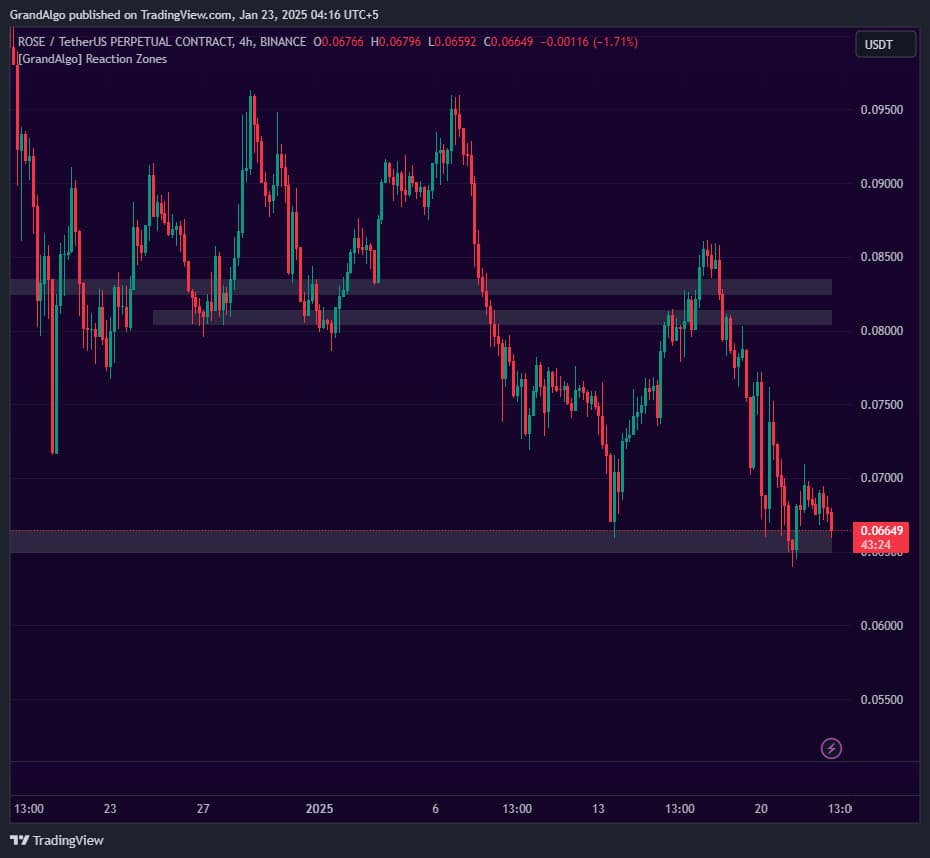
Reaction Zones TradingView indicator on ROSEUSDT chart
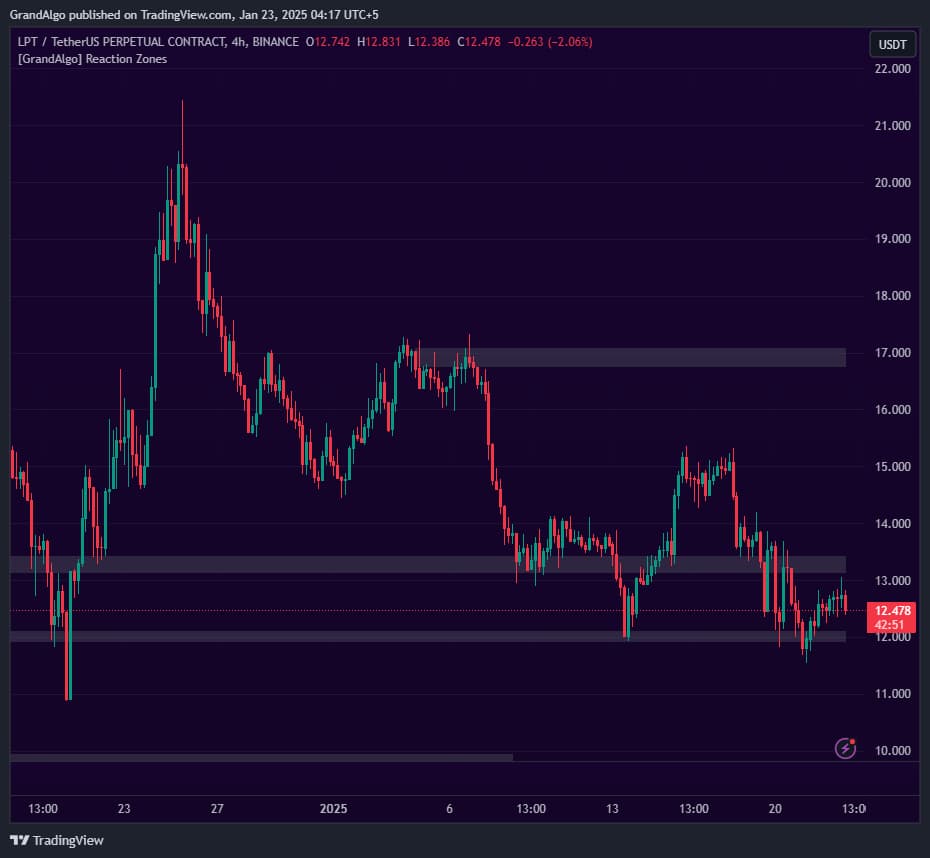
Reaction Zones TradingView indicator on LPTUSDT chart
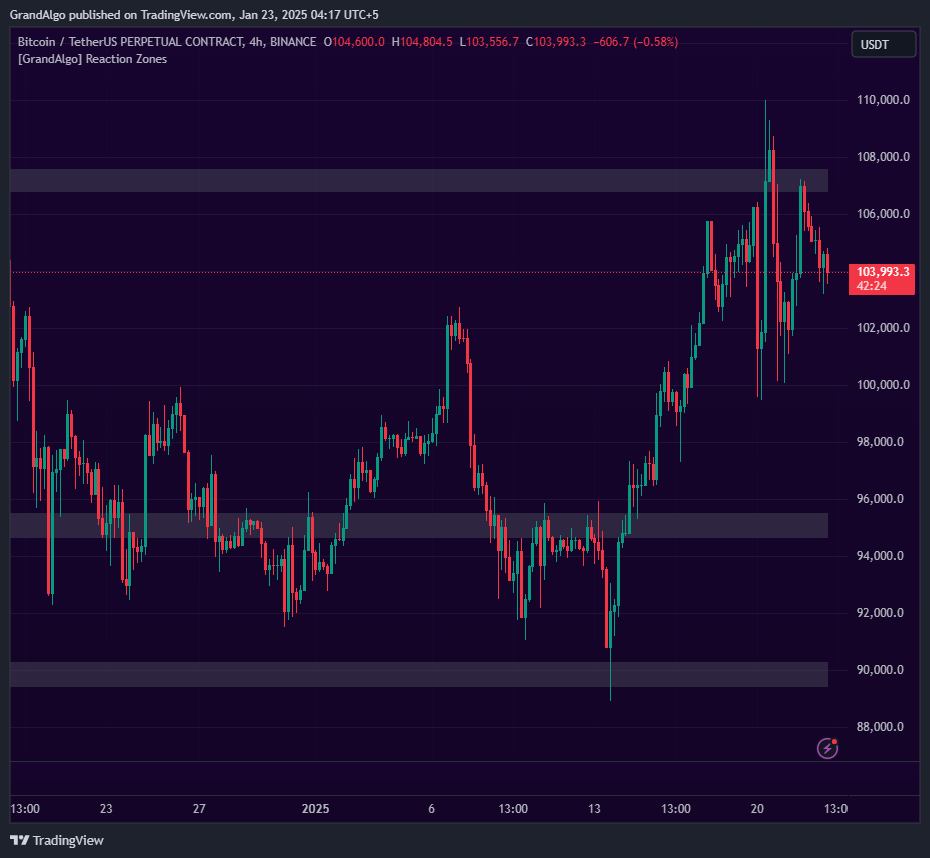
Reaction Zones TradingView indicator on BTCUSDT chart
1 / 3

Overview

Reaction Zones finds levels where price has repeatedly interacted with a pivot point. When a swing high or low is detected, the indicator analyzes how many candles interacted with that level within the surrounding window. If the touch count exceeds your configurable strength threshold, a shaded zone is drawn -representing an area where the market has shown its hand through repeated reactions. Smart duplicate prevention ensures zones don't stack on top of each other, and optional mitigation tracking removes zones when price slices completely through them.

How It Works

Reaction Zones uses pivot detection to identify swing highs and lows, then counts how many candles within the surrounding detection window have wicks or bodies that interact with each pivot level. The indicator measures candles whose highs penetrate above a pivot low or whose lows dip below a pivot high, counting only candles that opened on the opposite side of the level -- ensuring each touch represents a genuine price reaction rather than a candle that simply passed through.

When the touch count exceeds your configurable Strength threshold, the indicator draws a shaded zone spanning from the pivot price to the nearest cluster of closes. This creates a band rather than a single line, reflecting the real-world area where price has historically reacted. The Length parameter controls the pivot detection lookback, while Strength (1-5) scales proportionally to set the minimum touch requirement.

Smart duplicate prevention checks each new zone against the most recent existing zones. If a new zone would overlap with an already-drawn zone, it is suppressed to keep the chart clean. Optional mitigation tracking monitors whether price has sliced completely through a zone in both directions over consecutive candles, and removes mitigated zones to ensure only active, unbroken levels remain visible.

Key Features

01

Touch Count Analysis

Analyzes how many candles interacted with each pivot level -zones are only drawn when the touch count exceeds your strength threshold.

02

Configurable Sensitivity

Adjust the Length and Strength inputs to control pivot detection sensitivity and how many touches are required before a zone qualifies.

03

Zone Mitigation Tracking

Optionally removes zones when price completely slices through them, keeping only active zones visible on the chart.

04

Smart Duplicate Prevention

Checks new zones against existing ones to prevent overlapping zones from cluttering the chart.

Common Trading Setups

Practical ways to trade with Reaction Zones.

01

Zone Bounce Entry

Enter a trade when price pulls back into a Reaction Zone that has a high touch count, expecting the level to hold based on its proven historical significance.

  1. 1Identify a Reaction Zone below the current price with a strong touch count (visible by its persistent presence on the chart).
  2. 2Wait for price to approach and touch the upper boundary of the zone.
  3. 3Look for a bullish rejection candle (long lower wick, close near the high) at the zone boundary.
  4. 4Enter long with a stop-loss placed below the lower boundary of the zone.
  5. 5Target the next Reaction Zone above or the most recent swing high.
02

Zone Break and Retest

When price breaks through a Reaction Zone, the old support becomes new resistance (or vice versa). Wait for the retest to enter in the breakout direction.

  1. 1Identify a Reaction Zone that price has been respecting as support or resistance.
  2. 2Wait for a decisive candle close beyond the zone (full body through, not just a wick).
  3. 3After the break, wait for price to retrace back to the broken zone.
  4. 4Enter in the breakout direction when price shows rejection at the zone from the new side.
  5. 5Place your stop-loss on the opposite side of the zone, targeting the next Reaction Zone in the breakout direction.
03

Zone Cluster Confluence

When multiple Reaction Zones stack near the same price area, the cluster creates a high-probability support or resistance region.

  1. 1Scan the chart for areas where two or more Reaction Zones are stacked within a tight price range.
  2. 2Mark the outer boundaries of the cluster as your primary support or resistance zone.
  3. 3Wait for price to approach the cluster and observe the initial reaction.
  4. 4Enter on the first reversal candle pattern within the cluster area.
  5. 5Use the far edge of the cluster as your stop-loss and target the opposite side of the current range.

Settings Reference

Key settings you can configure in TradingView. See the full setup guide for detailed walkthroughs.

ParameterTypeDefaultDescription
Lengthint14Controls pivot detection sensitivity. Higher values detect fewer, more significant swing points; lower values catch more swings.
Strengthint3Minimum number of touches required for a zone to qualify. Higher values produce fewer but more proven zones.
Keep Last X Zonesint4Maximum number of zones displayed at once. Older zones are removed as new ones form.
Keep After MitigationbooltrueWhen enabled, zones remain visible even after price slices through them. Disable to only show active, unbroken zones.

Pro Tips

Fewer Zones is Better

Keeping the Last X Zones at 3-5 ensures you focus on the most relevant areas. Too many zones create analysis paralysis.

Combine with Trend Direction

Reaction zones in the direction of the prevailing trend (demand zones in uptrends, supply zones in downtrends) offer higher-probability setups.

First Retest is Strongest

The first time price returns to a reaction zone after forming it tends to produce the cleanest reaction. Subsequent retests may see diminishing strength.

Frequently Asked Questions

Length controls the pivot detection lookback -- how many candles on each side are required to confirm a swing high or low. Higher Length values detect larger, more significant pivots. Strength (1-5) sets the minimum number of candle interactions required before a zone qualifies. It scales proportionally with Length, so a Strength of 3 on a Length of 14 requires more touches than a Strength of 3 on a Length of 7. For most markets, start with Length 14 and Strength 3, then adjust from there.

This setting controls how many of the most recent zones are kept active and extended on the chart. Older zones beyond this count are no longer extended forward, though they remain visible at their original position. The default of 4 keeps the chart focused on the most relevant nearby levels without removing historical context entirely.

When 'Keep Reaction zones alive after mitigation' is disabled, the indicator monitors whether price has completely sliced through a zone -- meaning consecutive candles open and close on opposite sides of the entire zone. When this happens, the zone is considered mitigated (its stored orders have been absorbed) and it is removed from the chart. When enabled, zones persist regardless of how many times price passes through them.

The indicator only marks levels that meet the full qualification criteria: the pivot must be confirmed by the Length parameter, the touch count must exceed the Strength threshold, and the zone must not overlap with an existing zone. If a level appears significant but has no zone, try lowering the Strength setting or adjusting the Length to detect pivots at that scale.

Get access to Reaction Zones

Included with every subscription plan alongside all 18 premium indicators. Subscribe today for just $19/mo.

Get StartedStarting at $19/mo