Reversal Market Structure: Complete Setup Guide
This guide explains how to set up and interpret Reversal Market Structure. You will learn how the three sensitivity levels and two swing detection methods affect signal frequency, how to use the FVG confluence filter, and how to read the zigzag path and directional arrow for trade timing.
BOS confirms continuation and CHOCH is the first warning of reversal. Reversal Market Structure waits for a complete reversal sequence (not a single break), then draws the confirmed swing path and direction. Use the built-in FVG confluence filter to reduce false structure breaks and to time entries on the pullback into the imbalance.
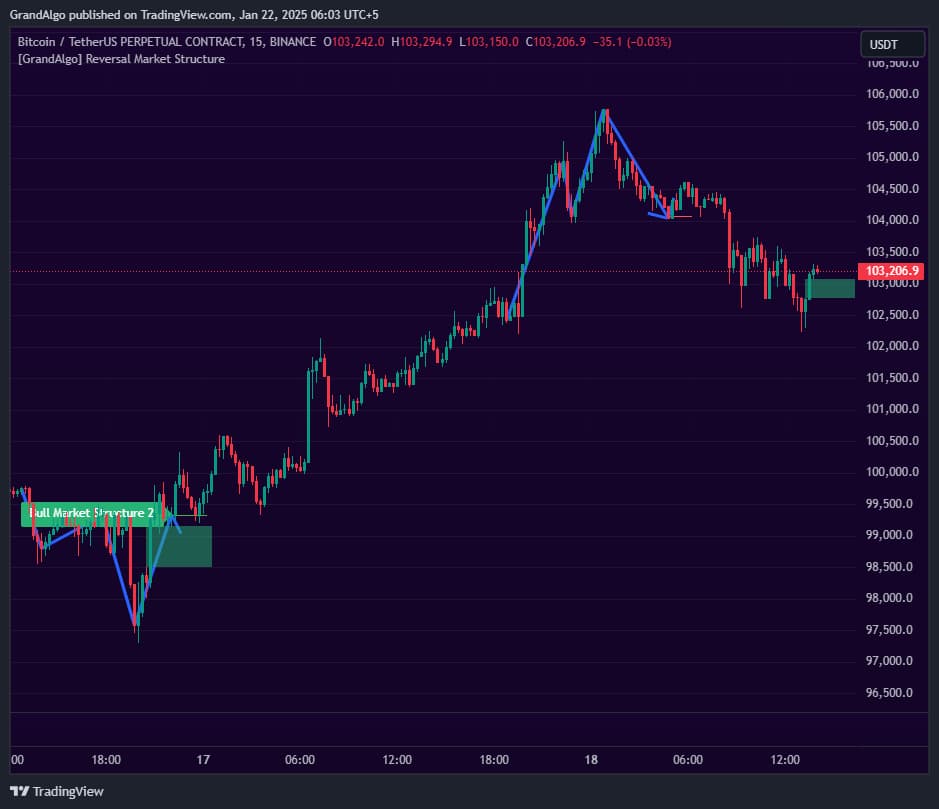
What It Does
By the end you should be able to match sensitivity to your timeframe, understand when the FVG filter should be enabled or disabled, and combine reversal signals with higher-timeframe context for confirmed trend-change entries.
Key Features
Complete Reversal Detection
Identifies confirmed reversal patterns requiring a full sequence of structure breaks -not just individual BoS/ChoCh marks.
FVG Confluence Filter
By default, only shows reversals that contain a Fair Value Gap within the structure -adding institutional confluence to every signal.
Zigzag Visualization
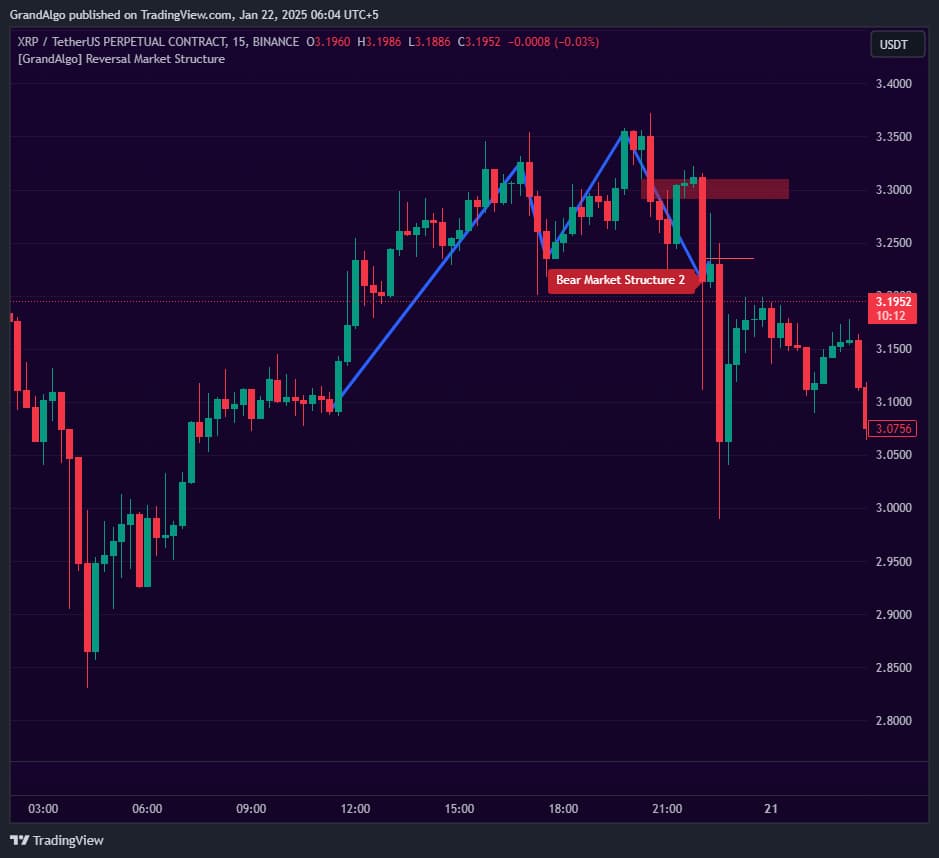
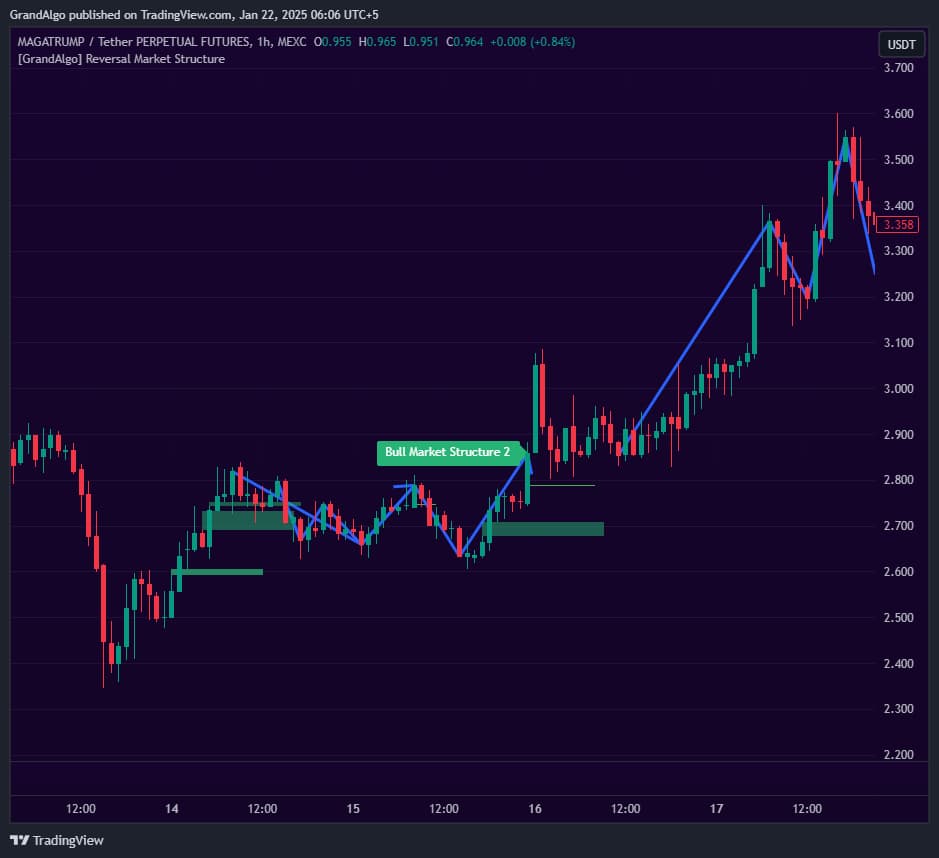
Draws the full reversal path as a multi-segment zigzag connecting the key swing points with a directional arrow at the confirmation break.
Two Swing Detection Methods
Choose Close-based swing detection for precise structure analysis or High/Low-based for wider swing identification.
In Action
Reversal Market Structure applied across different markets.
Why Close-Based Structure Detection Is the Default
The Swing Type parameter defaults to "Close" rather than "High/Low" for a deliberate reason. Closing prices represent committed institutional volume — the price level where participants were willing to hold through the candle's end. Wicks, by contrast, capture momentary spikes driven by stop hunts, liquidity grabs, and algorithmic probes that are often reversed within the same candle.
By anchoring structure detection to closes, the indicator filters out wick manipulation and focuses on genuine shifts in control between buyers and sellers. A Break of Structure confirmed by a close above or below a prior swing carries more conviction than one triggered by a wick that was immediately rejected. This produces fewer but higher-quality structure labels, reducing false signals in choppy or news-driven conditions.
Switch to "High/Low" only when you need broader swing detection on highly volatile instruments where closing prices alone may miss significant structural pivots.
Settings & Parameters
Key settings you can configure in TradingView.
| Parameter | Type | Default | Description |
|---|---|---|---|
| Length | string | Minor | Three sensitivity levels: Major for significant reversals only, Intermediate for moderate sensitivity, Minor for catching more reversal patterns. |
| Swing Type | string | Close | Method for identifying swing points: Close uses closing prices for precise structure, High/Low uses wicks for wider swing detection. |
| Show FVG Only Structure | bool | true | When enabled, only shows reversals containing a Fair Value Gap within the structure for higher-quality signals. |
| Draw FVG | bool | true | Draws the Fair Value Gap within the reversal structure when one is present. |
| Compact Labels | bool | true | Uses compact label formatting to reduce visual clutter on the chart. |
How to Use It
Understand Reversal Confirmation
Unlike simple BoS/ChoCh indicators, this requires a complete reversal sequence. You'll see a zigzag pattern drawn only when the full structural reversal is confirmed, reducing false signals.
Keep FVG Filter Enabled
The FVG confluence filter is enabled by default for good reason. Reversals containing a Fair Value Gap have significantly higher follow-through rates because they indicate institutional participation.
Read the Directional Arrow
The arrow at the end of the zigzag pattern shows the new trend direction after the reversal confirms. This is your signal to align your trades with the emerging trend.
Use the FVG as an Entry Zone
When the Draw FVG option is enabled, the highlighted gap area within the reversal structure serves as a precision entry zone for trading the new trend direction.
Best Practices
Use Close-Based Swing Detection
Close-based detection (default) produces more precise structure analysis because closing prices represent committed market opinions rather than momentary wick spikes.
Trade in the Direction of the Reversal
Once a reversal is confirmed, look for entries in the new trend direction. The FVG within the structure provides the ideal entry zone.
Combine with Higher Timeframe Trend
Reversals that align with the higher timeframe trend direction are more reliable. A bullish reversal on the 1H chart while the Daily is also bullish is a stronger signal.
Related Indicators
Related Articles
Ready to Start Trading?
Get access to Reversal Market Structure alongside all 18 premium indicators.