Institutional Price Blocks: Complete Setup Guide
This guide walks you through configuring and interpreting Institutional Price Blocks. You will learn the difference between Alpha and Beta calculation modes, how to read the gradient-filled projection zones, and when a block is invalidated versus still active.
Order blocks are the last opposing candles before displacement. Institutional Price Blocks automatically marks bullish and bearish order blocks at confirmed BOS/CHOCH and projects reaction zones so you can plan retests with defined risk. Focus on fresh blocks, wait for price to return, then confirm with structure or a clean rejection candle before entering.
What It Does
By the end you should be able to pick the right mode for your trading style, use the projected target zones for entries and take-profits, and combine institutional price blocks with market structure for confirmation.
Key Features
Order Block Pattern Detection
Identifies multiple order block candle patterns at market structure break points where institutional positioning is most likely.
Proprietary Target Projection
Projects institutional target zones using proprietary extension logic -marking areas where unfilled institutional orders are likely resting.
Alpha & Beta Modes
Two calculation modes that change the projection approach, letting you choose the method that best fits your analysis.
Dynamic Gradient Visualization
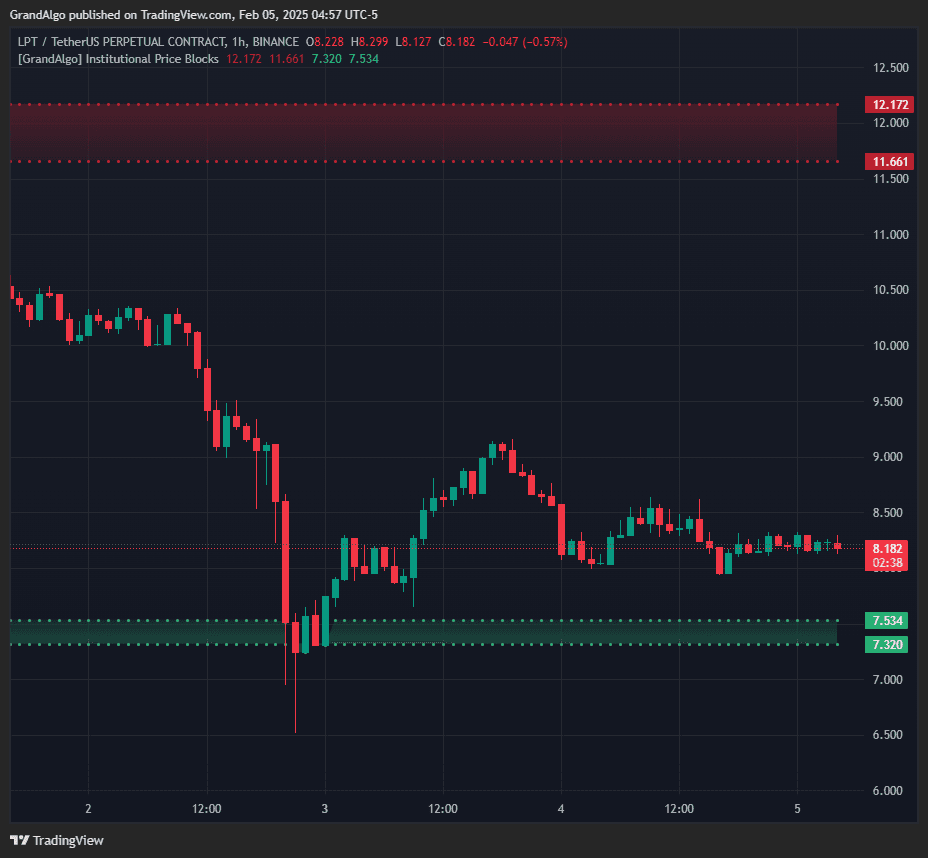
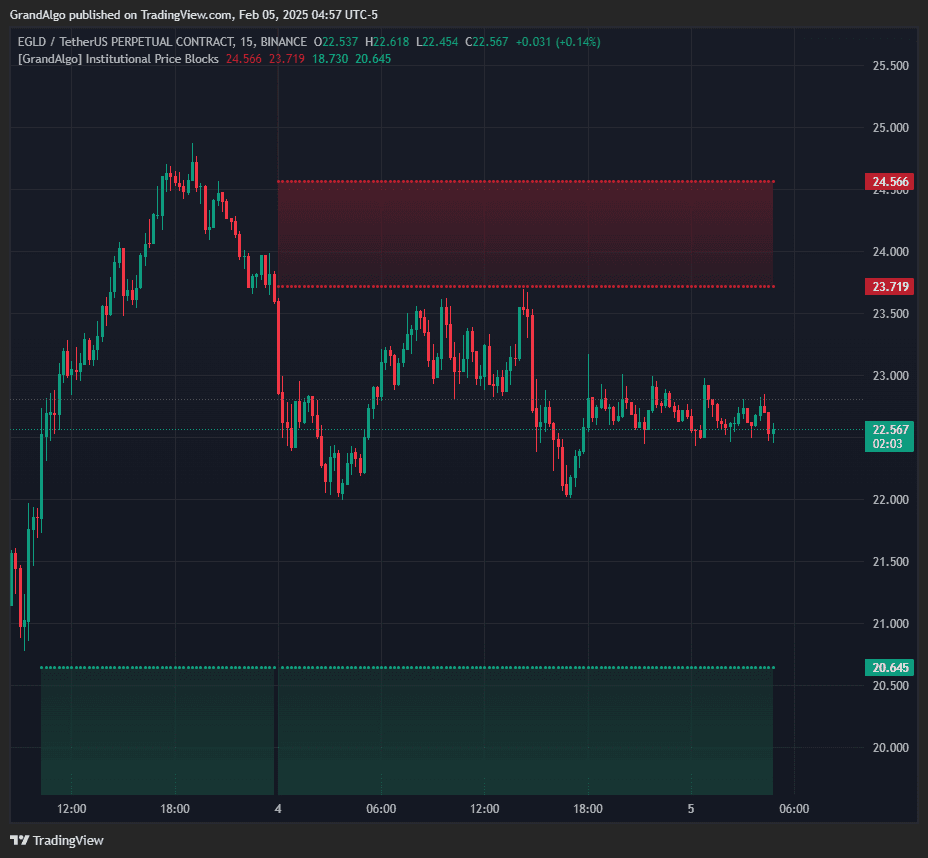
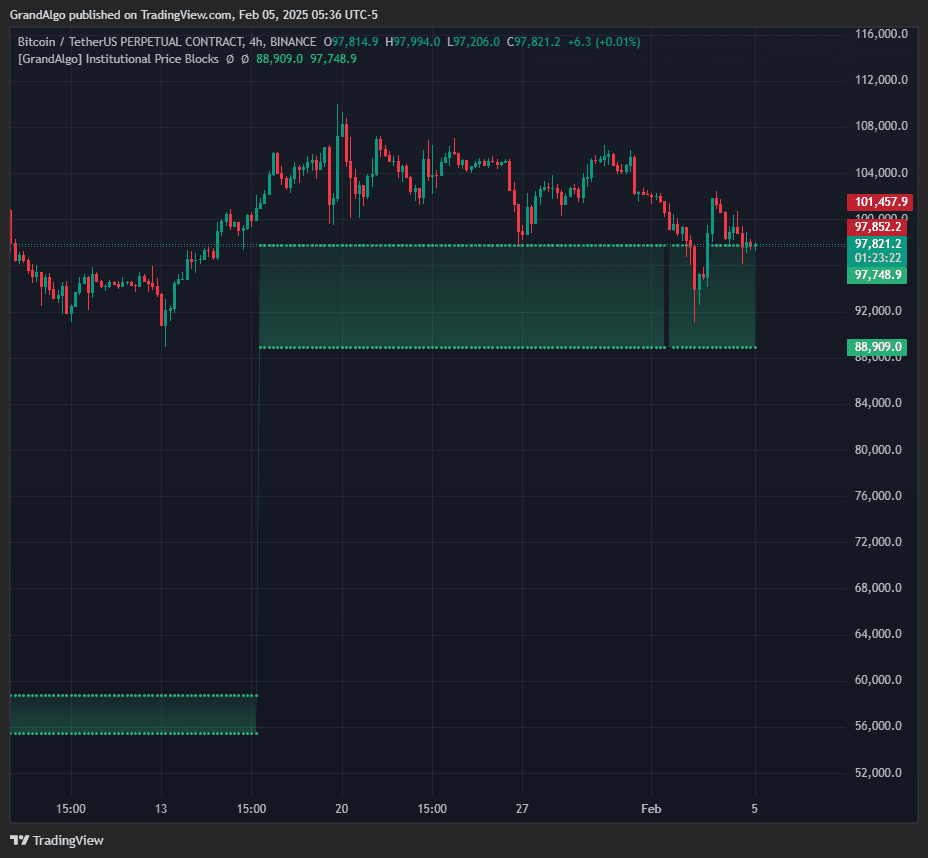
Zones appear as gradient-filled regions only when price is in range, with automatic invalidation when price moves decisively beyond the zone.
In Action
Institutional Price Blocks applied across different markets.
Settings & Parameters
Key settings you can configure in TradingView.
| Parameter | Type | Default | Description |
|---|---|---|---|
| Levels | string | Alpha | Two projection modes: Alpha uses one calculation approach for target zones, Beta uses an alternative method. Test both to find which suits your market. |
| Clouds | string | Both | Controls which gradient clouds are displayed: Both, Primary only, Secondary only, or None. |
| Swing Length | int | 10 | Number of candles required on each side to identify market structure. Lower values detect more structure breaks; higher values focus on major pivots. |
How to Use It
Understand the Two Modes
Alpha and Beta modes use different projection calculations. Run the indicator on historical data with each mode to see which one aligns better with price reactions in your preferred market.
Identify Active Price Blocks
When the gradient cloud appears, an institutional price block is active. The block represents an area where institutional orders were placed during a structural break.
Trade the Projected Targets
The projected zones act as magnets for price. When price enters a bullish block's projection, look for long entries. When entering a bearish block's projection, look for short entries.
Respect Invalidation
When a block's cloud disappears, it means price has moved beyond the zone's validity. Do not continue to treat invalidated blocks as active levels.
Best Practices
Adjust Swing Length to Your Timeframe
Lower timeframes benefit from a shorter swing length (5-8) for more frequent detections. Higher timeframes work better with the default 10 or higher for major structure only.
Focus on the Nearest Block
The indicator automatically filters to show nearby blocks. The closest active block to the current price is the most relevant for your next trade.
Use Both Primary and Secondary Clouds
The primary and secondary projections often bracket a range. When both clouds are active, the area between them is a high-probability reaction zone.
Related Indicators
Related Articles
Ready to Start Trading?
Get access to Institutional Price Blocks alongside all 18 premium indicators.