Session Fib Fan: Complete Setup Guide
This guide walks you through setting up and trading with Session Fib Fan. You will learn how to choose the right session timeframe, interpret the automatically plotted fan levels, and use the diagonal support and resistance lines for intraday entries.
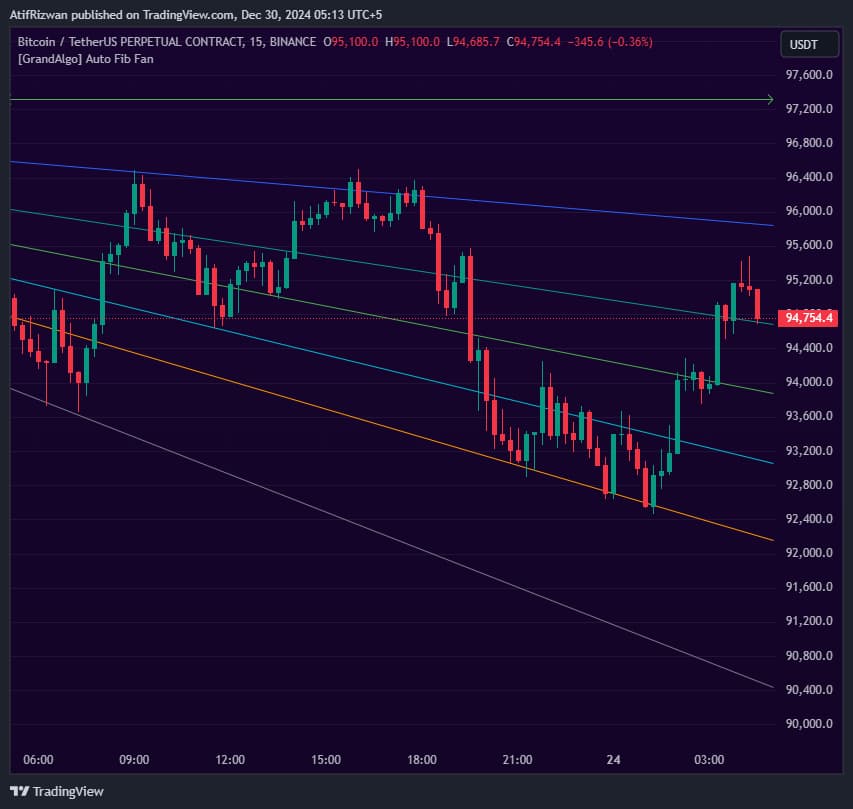
What It Does
By the end you should be able to configure session boundaries, understand why the fan direction flips with price structure, and combine the Fibonacci ratio lines with your existing strategy for higher-probability trades at levels that horizontal tools miss.
Key Features
Automatic Fan Plotting
Draws multiple Fibonacci fan lines from the previous session's extremes automatically -no manual anchoring or drawing required.
Two Coordinate Modes
Choose between Highest-Lowest or Open-Close as the anchor points for the fan, adapting to your preferred analysis style.
Directional Awareness
The fan direction flips automatically depending on the session's price structure, always matching the prevailing session context.
Configurable Session Timeframe
Set the session timeframe to Daily, Weekly, or any higher timeframe to draw fans based on different session boundaries.
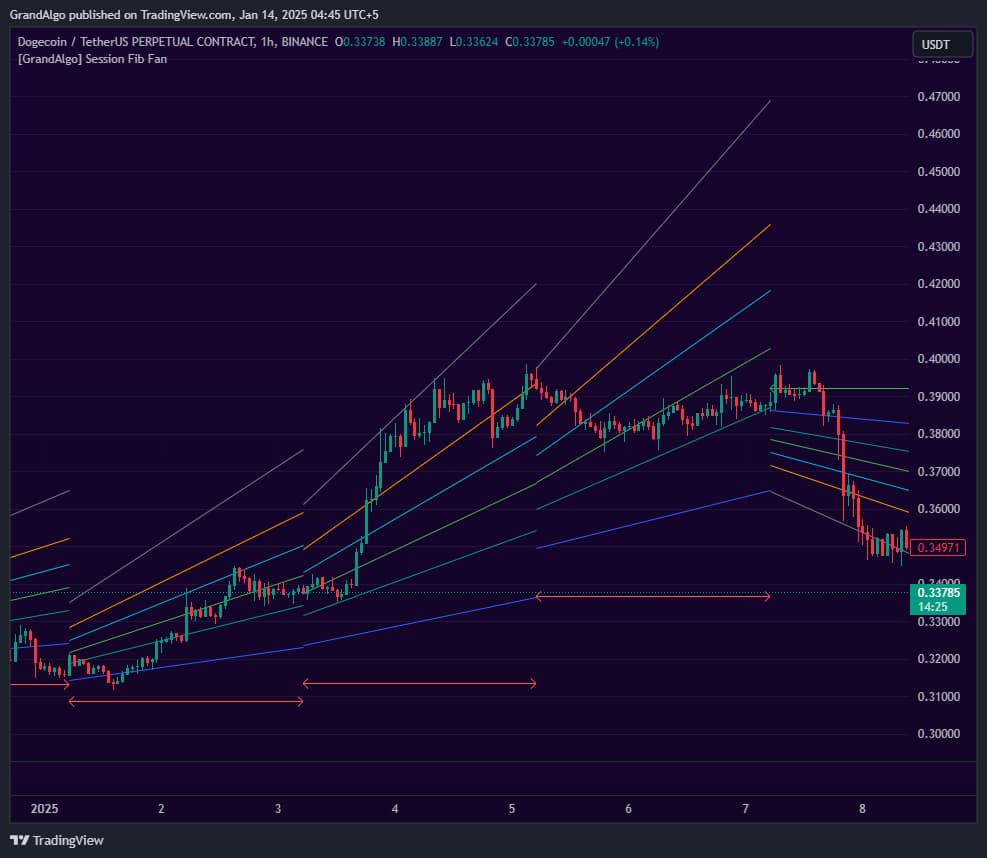
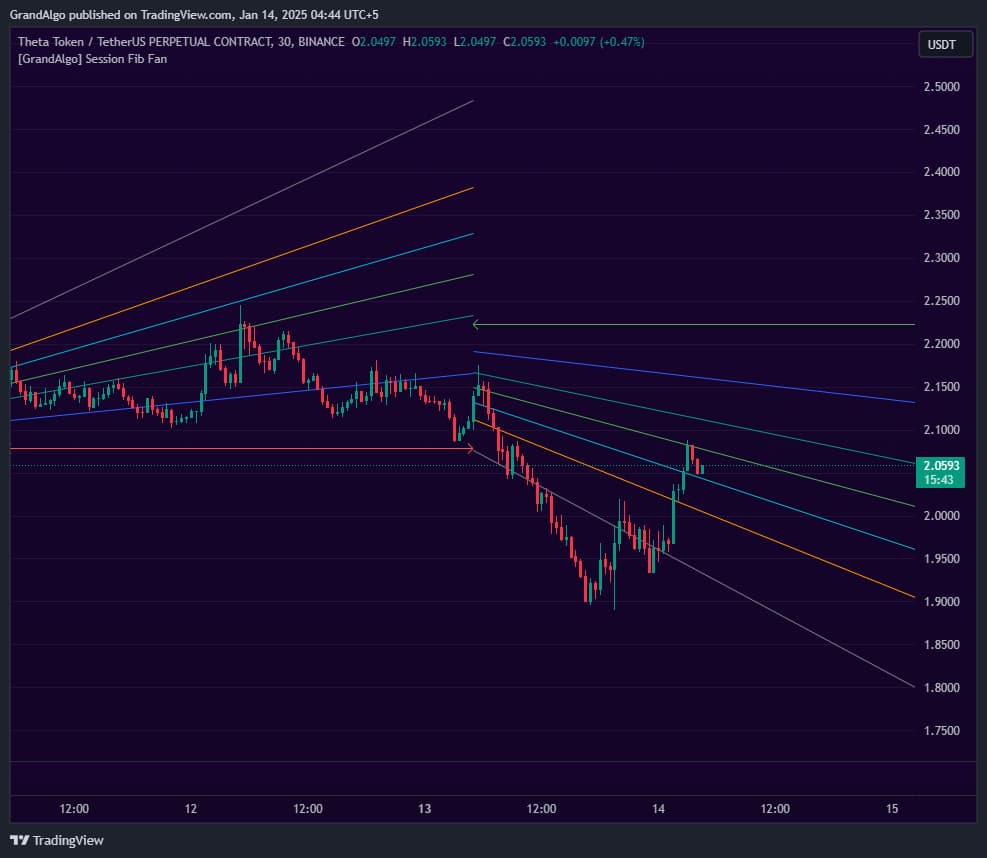
In Action
Session Fib Fan applied across different markets.
Settings & Parameters
Key settings you can configure in TradingView.
| Parameter | Type | Default | Description |
|---|---|---|---|
| Session | timeframe | D | Sets the timeframe for the session on which the fan is calculated. Use Daily for intraday, Weekly for swing trading. |
| Fan Co-Ordinates | string | Highest-Lowest | Determines the anchor points for the fan: either Highest-Lowest or Open-Close of the selected session. |
| Show Session Separator | bool | false | Displays a vertical line at each session boundary for visual reference. |
| Show Historical | bool | false | Shows fans from previous sessions instead of only the current one. |
How to Use It
Set Your Session Timeframe
Choose the session timeframe that matches your trading style. Daily works best for intraday scalping and day trading. Weekly is better for swing traders looking at broader price corridors.
Choose Your Coordinate Mode
Use Highest-Lowest for the widest fan range based on price extremes. Switch to Open-Close if you prefer fans anchored to session opening and closing prices for a tighter analysis.
Identify Fan Level Reactions
Watch for price bouncing off individual fan lines during the current session. These diagonal levels act as dynamic support when price approaches from above and resistance when approached from below.
Combine with Horizontal Levels
Fan lines are most powerful when they intersect with horizontal support/resistance or other indicator zones. Look for confluence points where a fan line meets a key price level.
Best Practices
Use on Intraday Timeframes
The indicator shines on 1-minute to 1-hour charts where intraday session dynamics are most relevant. Higher timeframe charts may not benefit from session-level fan analysis.
Look for Fan Line Clusters
When multiple fan lines from different Fibonacci ratios converge near the same price, that area becomes a high-probability reaction zone.
Respect the Fan Direction
The fan direction indicates the session's bias. Trading with the fan direction tends to produce higher-probability setups than counter-trend entries.
Combine with Volume Analysis
Fan level reactions are more significant when accompanied by increased volume, confirming institutional participation at those diagonal levels.
Related Indicators
Related Articles
Ready to Start Trading?
Get access to Session Fib Fan alongside all 18 premium indicators.