Automatic Parallel Channel: Complete Setup Guide
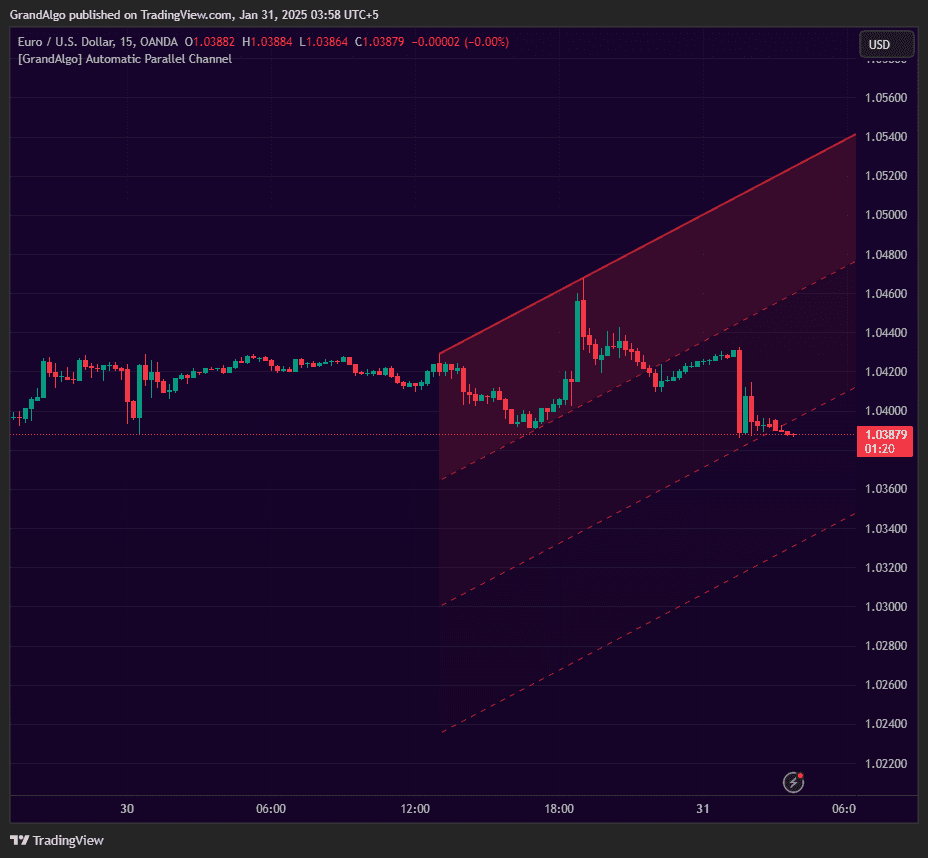
Automatic Parallel Channel eliminates the subjectivity of manual channel drawing. Using pivot detection with five sensitivity levels, it identifies consecutive swing highs or lows that form a valid trend line, then projects a parallel boundary through the most extreme price point on the opposite side.
What It Does
An additional extension line projects beyond the channel for target zones. Slope steepness is normalized to prevent unrealistic channels, and channels automatically invalidate when price decisively breaks beyond the boundaries. The result is mathematically precise trending corridors that adapt as new swing structure develops.
Key Features
Five Sensitivity Levels
From Micro to Macro, choose how aggressively channels are detected to match your trading style -from scalping to position trading.
Steepness Validation
Slope steepness is validated to prevent excessively steep or unrealistic channels from being drawn on the chart.
Extension Line
A configurable extension line projects beyond the channel, providing a target zone for breakout or continuation moves.
Auto-Invalidation
Channels automatically clear when price decisively breaks beyond the boundaries, keeping the chart current and clutter-free.
In Action
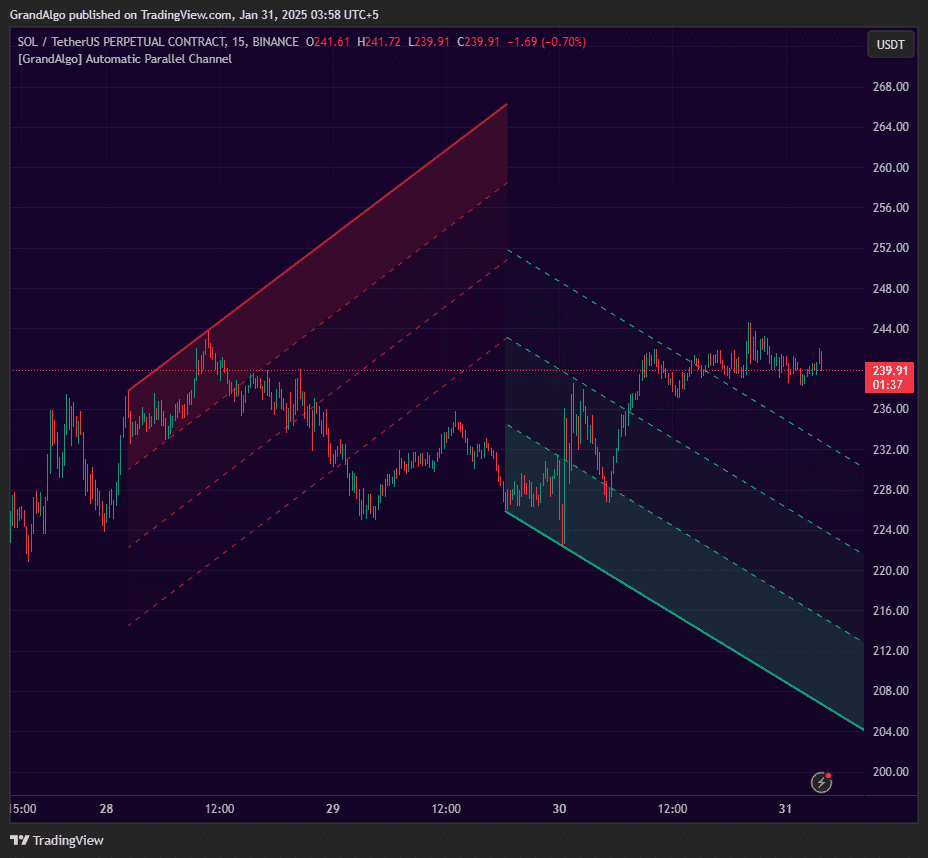
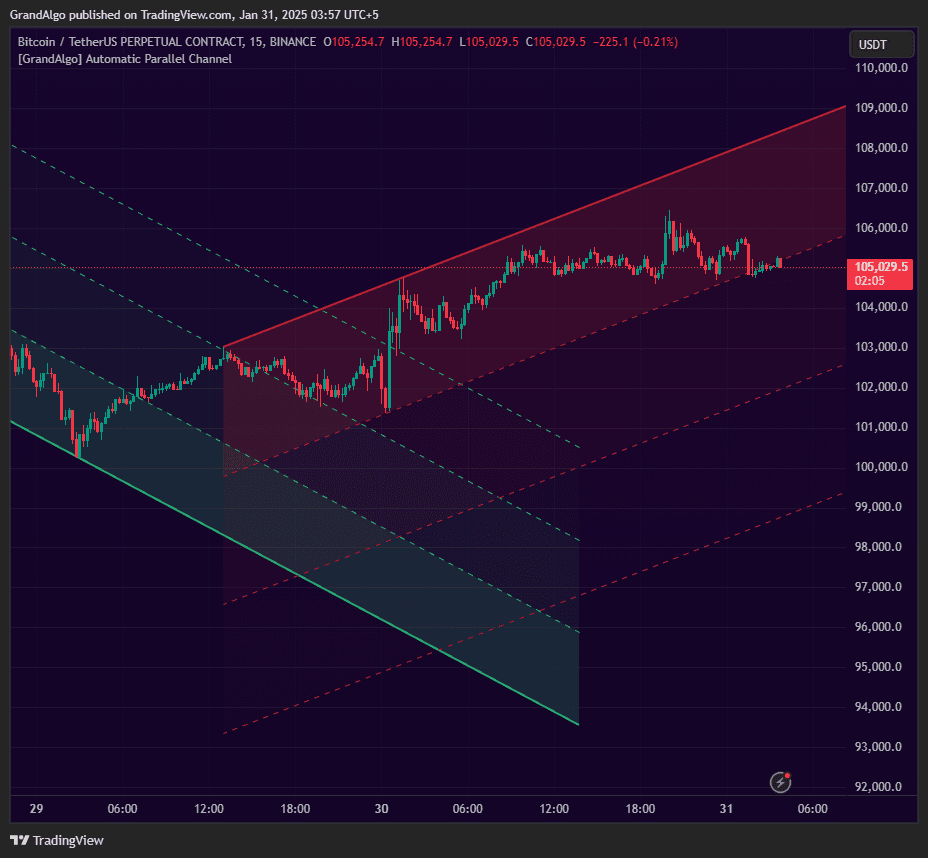
Automatic Parallel Channel applied across different markets.
Settings & Parameters
Key settings you can configure in TradingView.
| Parameter | Type | Default | Description |
|---|---|---|---|
| Strength | string | Minor | Five sensitivity levels from Macro (widest swings) to Micro (tightest). Micro catches short-term channels, Macro captures major trend corridors. |
| Fib Extension Level | float | 3 | Adds a third line at the specified Fibonacci level beyond the channel for breakout targets. |
| Enable Green Channel | bool | true | Shows bullish (ascending) channels on the chart. |
| Enable Red Channel | bool | true | Shows bearish (descending) channels on the chart. |
| Max Slope Steepness | float | 3 | Maximum allowable slope difference. Prevents excessively steep or unrealistic channels from being drawn. |
How to Use It
Choose Your Sensitivity Level
Match the sensitivity to your trading style: Micro and Minor for scalping and day trading, Intermediate for swing trading, Major and Macro for position trading. Lower sensitivity catches tighter, shorter-term channels.
Trade Within the Channel
Once a channel is detected, trade bounces between the upper and lower boundaries. Buy near the lower boundary in bullish channels, sell near the upper boundary in bearish channels.
Watch for Channel Breaks
When price breaks and closes beyond a channel boundary, the channel auto-invalidates. This breakout signal often leads to a momentum move in the breakout direction.
Use the Extension Line
The Fibonacci extension line projects a target beyond the channel. After a breakout, this line provides a measured move target for the continuation.
Best Practices
Let the Channel Form Naturally
The indicator needs at least 2-3 swing points to form a valid channel. Don't try to force a channel on choppy, directionless price action.
Respect Auto-Invalidation
When a channel clears from the chart, it means the trend structure has broken. Don't try to trade the old channel levels after invalidation.
Use Steepness Filtering
The Max Slope Steepness parameter prevents nearly-vertical channels from appearing. Keep it at the default unless you specifically want to allow steeper trend channels.
Related Indicators
Related Articles
Ready to Start Trading?
Get access to Automatic Parallel Channel alongside all 18 premium indicators.