Reaction Zones: Complete Setup Guide
This guide covers how to configure, read, and trade with Reaction Zones. You will learn how the length and strength parameters control which zones appear, how mitigation tracking works, and how to use the zone count limit to keep your chart clean.
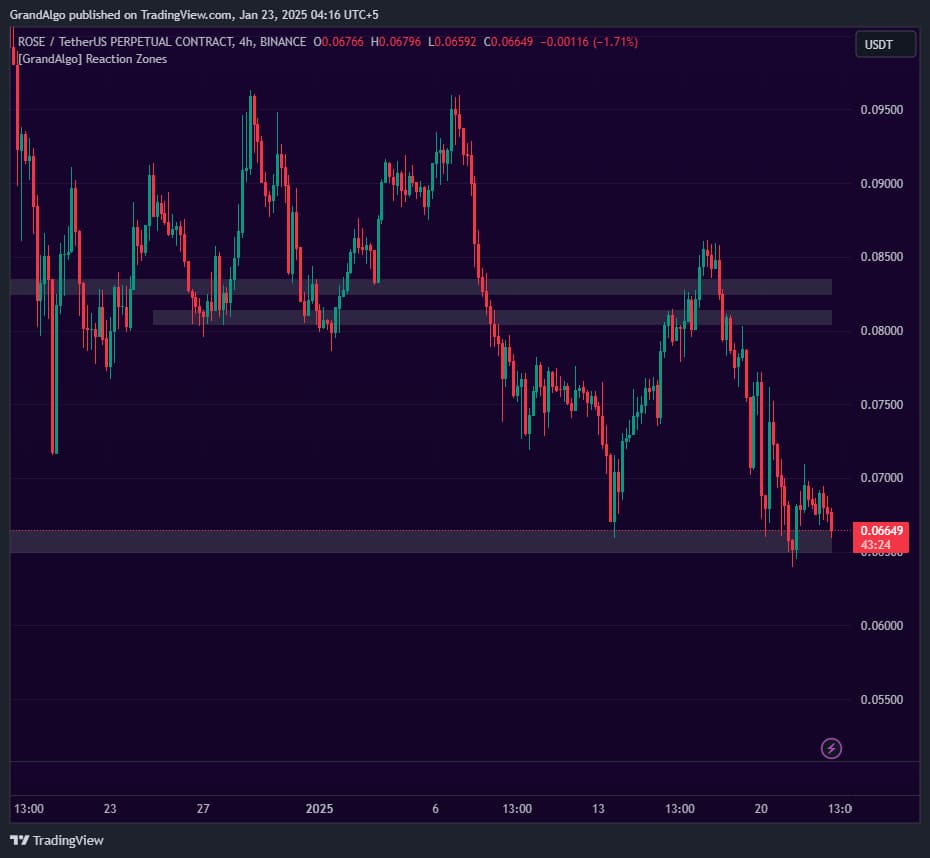
What It Does
By the end you should be able to adjust sensitivity for your timeframe, identify the highest-touch zones as your strongest levels, and decide whether to keep or remove mitigated zones based on your trading approach.
Key Features
Touch Count Analysis
Analyzes how many candles interacted with each pivot level -zones are only drawn when the touch count exceeds your strength threshold.
Configurable Sensitivity
Adjust the Length and Strength inputs to control pivot detection sensitivity and how many touches are required before a zone qualifies.
Zone Mitigation Tracking
Optionally removes zones when price completely slices through them, keeping only active zones visible on the chart.
Smart Duplicate Prevention
Checks new zones against existing ones to prevent overlapping zones from cluttering the chart.
In Action
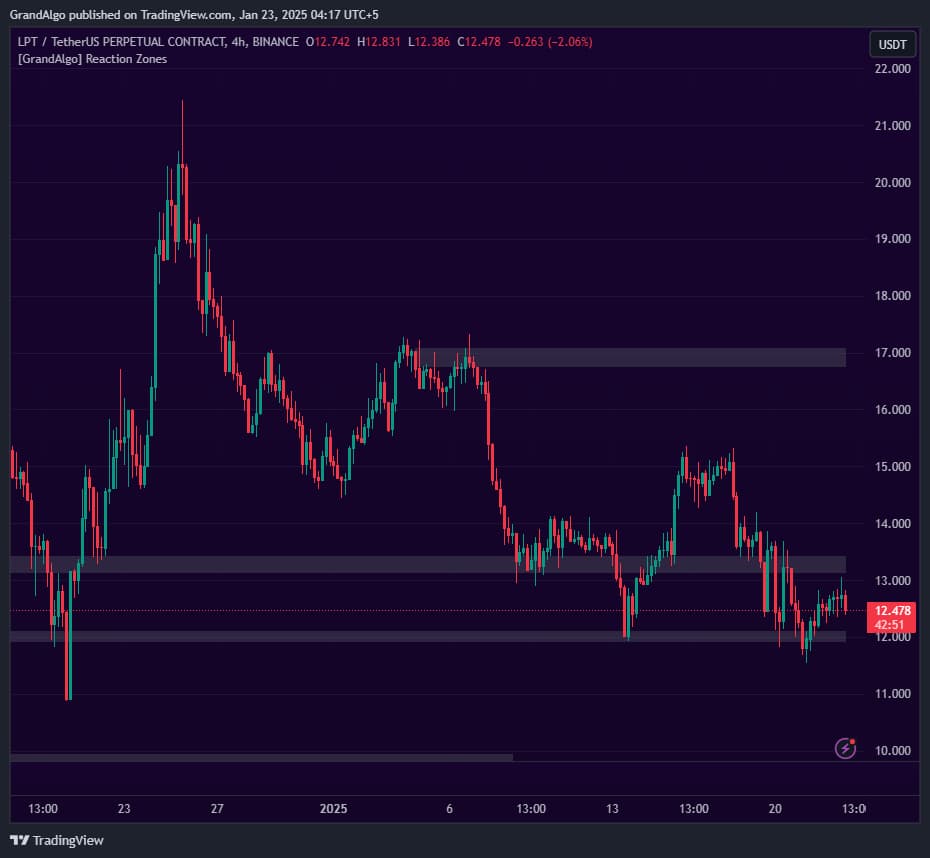
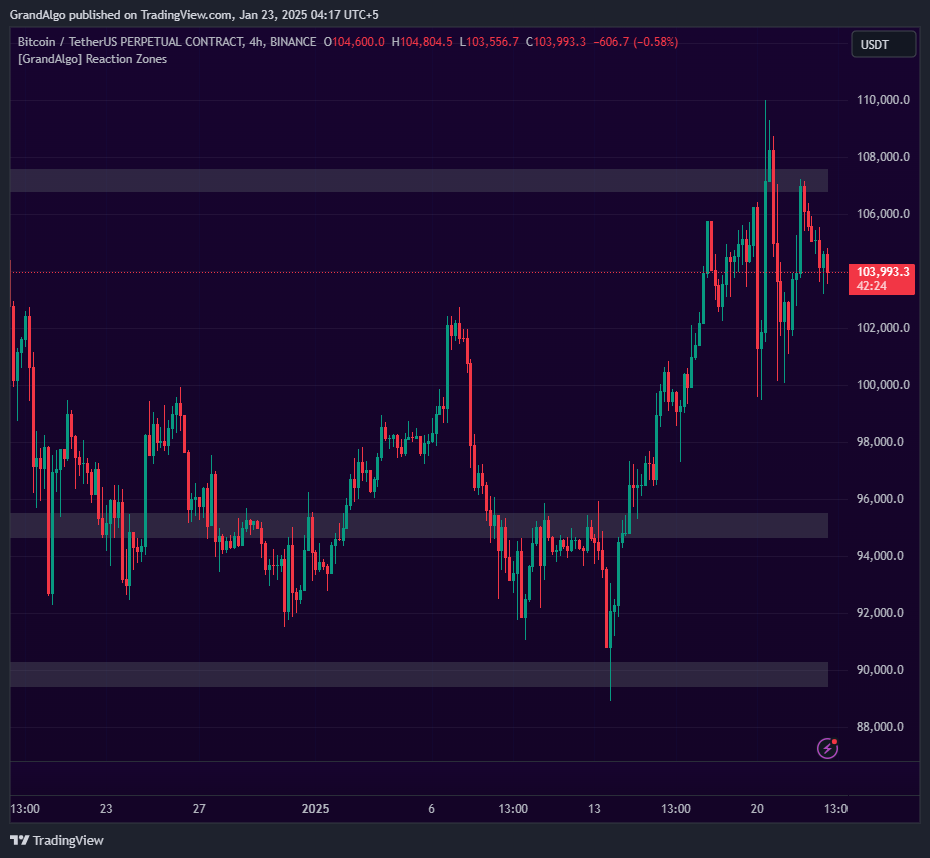
Reaction Zones applied across different markets.
Settings & Parameters
Key settings you can configure in TradingView.
| Parameter | Type | Default | Description |
|---|---|---|---|
| Length | int | 14 | Controls pivot detection sensitivity. Higher values detect fewer, more significant swing points; lower values catch more swings. |
| Strength | int | 3 | Minimum number of touches required for a zone to qualify. Higher values produce fewer but more proven zones. |
| Keep Last X Zones | int | 4 | Maximum number of zones displayed at once. Older zones are removed as new ones form. |
| Keep After Mitigation | bool | true | When enabled, zones remain visible even after price slices through them. Disable to only show active, unbroken zones. |
How to Use It
Adjust Length for Your Timeframe
On lower timeframes (1m-15m), a shorter Length of 7-10 catches more swing points. On higher timeframes (4H-Daily), the default 14 or higher focuses on major pivots.
Read Zone Significance
Zones with more touches are more significant. While the minimum is set by Strength, zones that far exceed the threshold represent the strongest reaction areas.
Trade Zone Retests
When price returns to a reaction zone, the historical touch pattern suggests price is likely to react again. Look for candlestick confirmation at the zone boundary for entry signals.
Track Mitigation Status
If you disable Keep After Mitigation, only active zones remain visible. A zone that has been decisively broken is less likely to provide future reactions.
Best Practices
Fewer Zones is Better
Keeping the Last X Zones at 3-5 ensures you focus on the most relevant areas. Too many zones create analysis paralysis.
Combine with Trend Direction
Reaction zones in the direction of the prevailing trend (demand zones in uptrends, supply zones in downtrends) offer higher-probability setups.
First Retest is Strongest
The first time price returns to a reaction zone after forming it tends to produce the cleanest reaction. Subsequent retests may see diminishing strength.
Related Indicators
Related Articles
Ready to Start Trading?
Get access to Reaction Zones alongside all 18 premium indicators.