Supply Demand Pressure Cloud: Complete Setup Guide
This guide explains how to set up and trade with the Supply Demand Pressure Cloud. You will learn what each parameter controls, how to read the gradient-filled pressure clouds, and how to use zone invalidation and alerts to manage live trades.
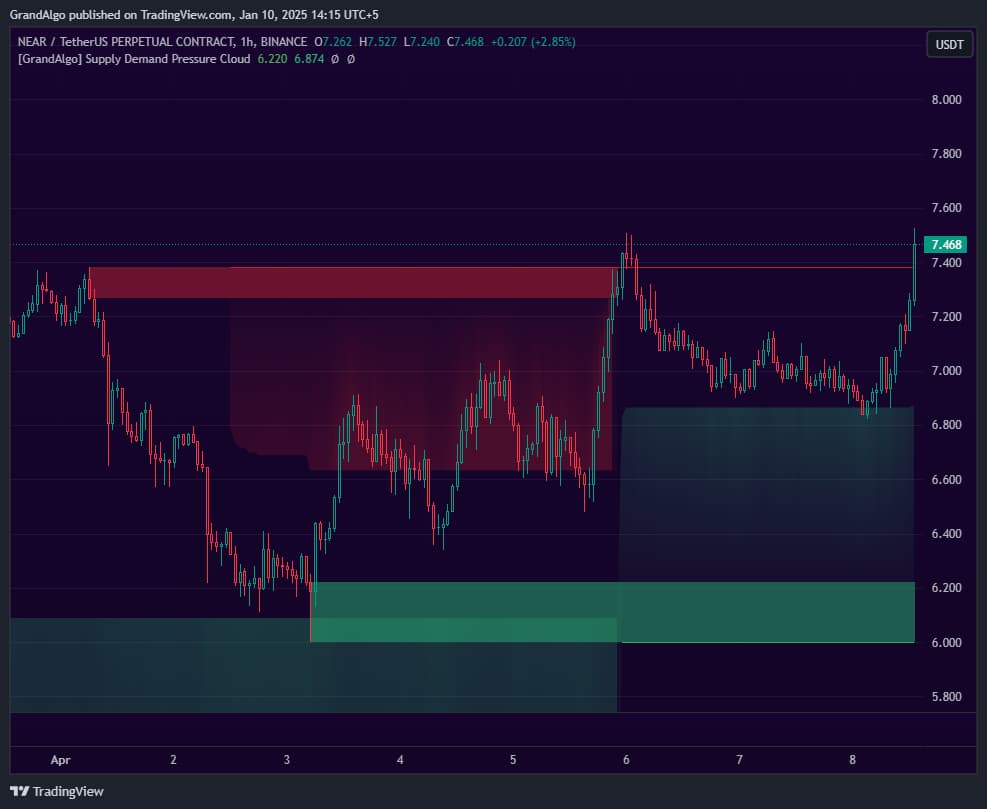
What It Does
By the end you should be able to distinguish fresh zones from invalidated ones, interpret cloud intensity as a measure of institutional influence, and configure the alert system to notify you when price approaches or enters a high-probability zone.
Key Features
Structure-Based Zone Detection
Identifies supply and demand zones from key structural patterns with strict validation criteria to ensure only genuine institutional levels are marked.
Pressure Cloud Visualization
Extends gradient-filled clouds from zone edges, visually showing how far each zone's buying or selling pressure reaches into price action.
Configurable Strength & Pressure
Three strength settings control detection sensitivity. Three pressure settings adjust how far the cloud extends from each zone.
Comprehensive Alert System
Separate alerts for price touching demand zones, supply zones, boundary lines, and cloud edges -so you know exactly what price is interacting with.
In Action
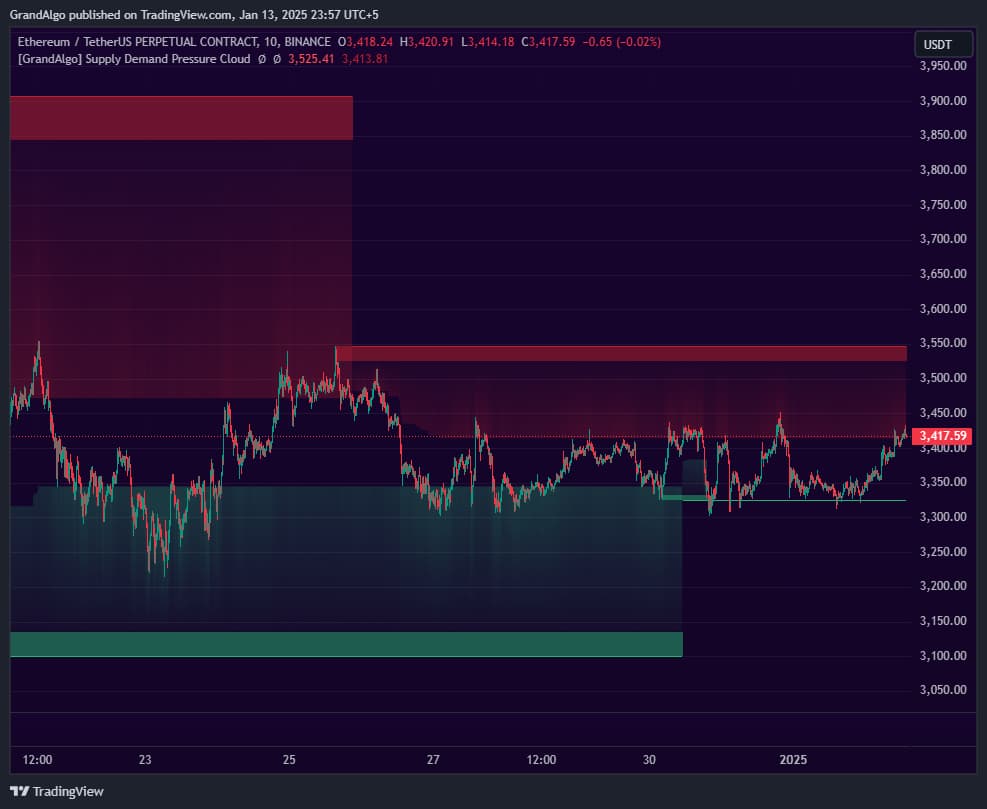
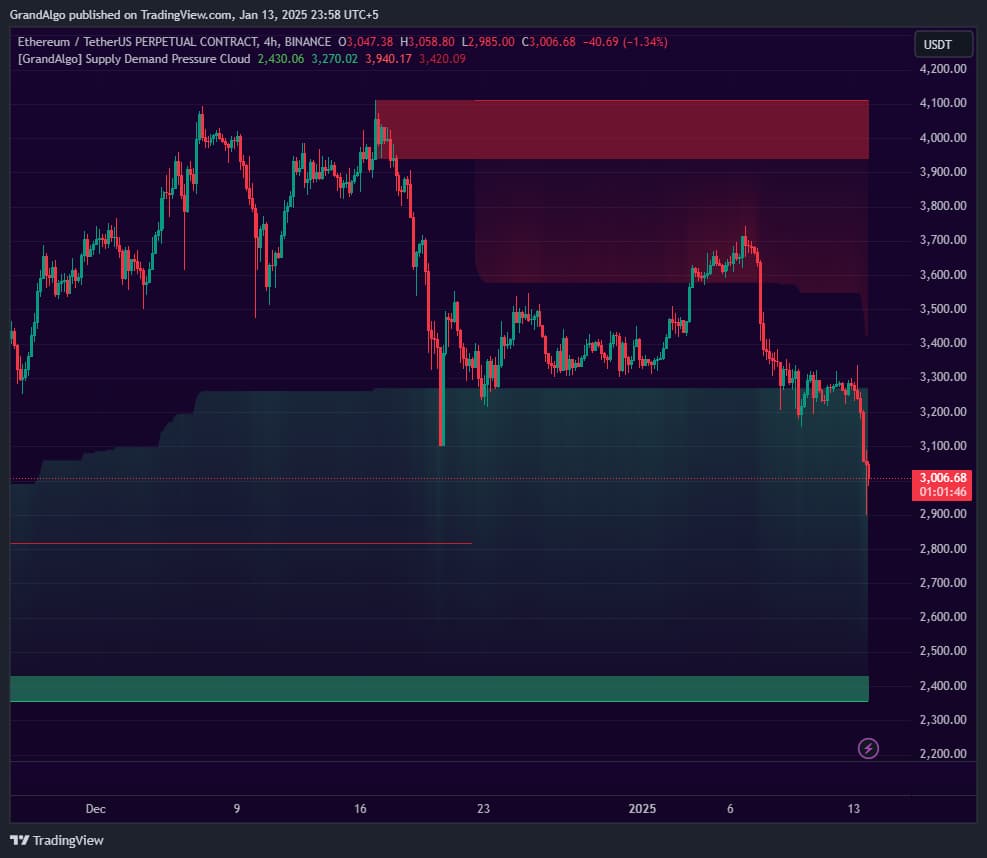
Supply Demand Pressure Cloud applied across different markets.
Settings & Parameters
Key settings you can configure in TradingView.
| Parameter | Type | Default | Description |
|---|---|---|---|
| Select Timeframe | timeframe | Chart | Run the analysis on a higher timeframe and project results onto your current chart for multi-timeframe supply and demand. |
| Strength | string | Minor | Adjusts detection sensitivity: Major for precise institutional levels, Intermediate for moderate sensitivity, Minor for broader zone detection. |
| Pressure | string | Strong | Controls how far the gradient cloud extends from each zone: Strong, Moderate, or Mild. |
| Extend All Lines | bool | false | Extends all zone boundary lines forward indefinitely instead of stopping at mitigation. |
| Extend Mitigated Lines | bool | true | Keeps mitigated zone lines visible until a new zone forms, maintaining price memory on the chart. |
| Supply Cloud | bool | true | Toggles the gradient cloud visualization for supply (resistance) zones. |
| Demand Cloud | bool | true | Toggles the gradient cloud visualization for demand (support) zones. |
How to Use It
Set Your Strength Level
Start with Minor for the broadest zone detection. Move to Intermediate if too many zones appear, and Major for only the strongest institutional levels. Each strength level changes the structural pattern requirements.
Read the Pressure Clouds
The gradient clouds extending from zones show pressure intensity. Darker shading near the zone indicates strong pressure; fading as it extends shows diminishing influence. Price tends to decelerate as it enters a cloud.
Watch for Zone Mitigation
When price closes decisively through a zone, it's mitigated and loses its significance. Focus on unmitigated zones for potential trade setups.
Use the Alert System
Set up alerts for price touching demand zones (for long entries), supply zones (for short entries), and cloud edges (for early warning of zone approaches).
Best Practices
Use Multi-Timeframe Analysis
Set the timeframe input to a higher timeframe while viewing a lower chart. This reveals where the big players have their zones while you time entries on your trading timeframe.
Focus on Fresh Zones
The first retest of a supply or demand zone is typically the strongest. Subsequent retests weaken the zone as the institutional orders get filled.
Cloud Edges as Early Warnings
When price enters a cloud, start preparing for a potential reaction at the zone itself. The cloud gives you advance notice before price reaches the core zone.
Combine with Market Structure
Supply and demand zones that form at Break of Structure or Change of Character points carry extra institutional significance.
Related Indicators
Related Articles
Ready to Start Trading?
Get access to Supply Demand Pressure Cloud alongside all 18 premium indicators.