Impulse & Balance: Complete Setup Guide
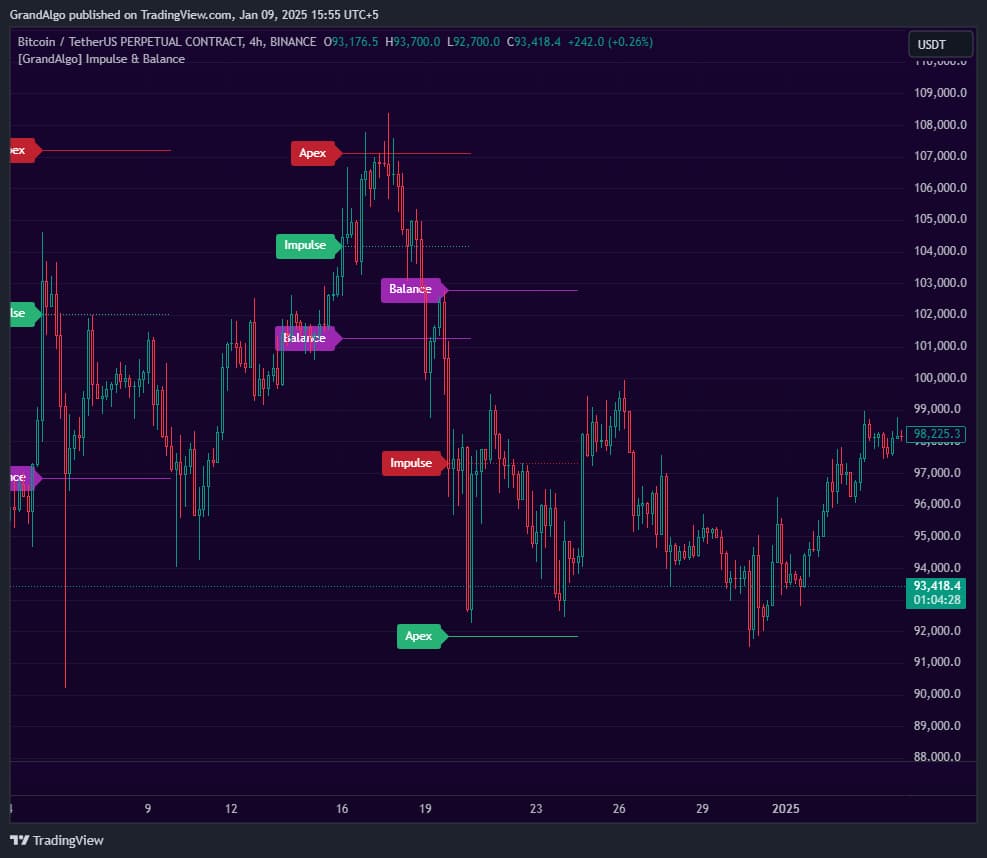
Impulse & Balance uses proprietary momentum analysis to calculate and project three key price levels directly onto your chart as horizontal support and resistance lines. When momentum reaches an extreme, the indicator plots the Impulse level (where the signal triggers), the Balance level (the equilibrium midpoint), and the Apex level (an extended target beyond the impulse).
What It Does
These projected levels act as potential reversal zones, continuation points, or profit targets. Unlike traditional oscillators that require reading a separate pane, everything is projected directly onto the price chart as actionable lines you can trade from immediately.
Key Features
On-Chart Price Level Projection
Projects key price levels directly onto the chart using proprietary momentum calculations -no separate pane or oscillator reading required.
Three Level Types
Impulse (momentum extreme), Balance (equilibrium midpoint), and Apex (extended target) -each serving as distinct support and resistance.
Directional Color Coding
Green levels for bullish momentum signals, red for bearish signals, with distinct coloring for the balance midpoint.
Touch Detection & Alerts
Detects when price reaches each level type with separate alerts for Impulse, Balance, and Apex touches.
In Action
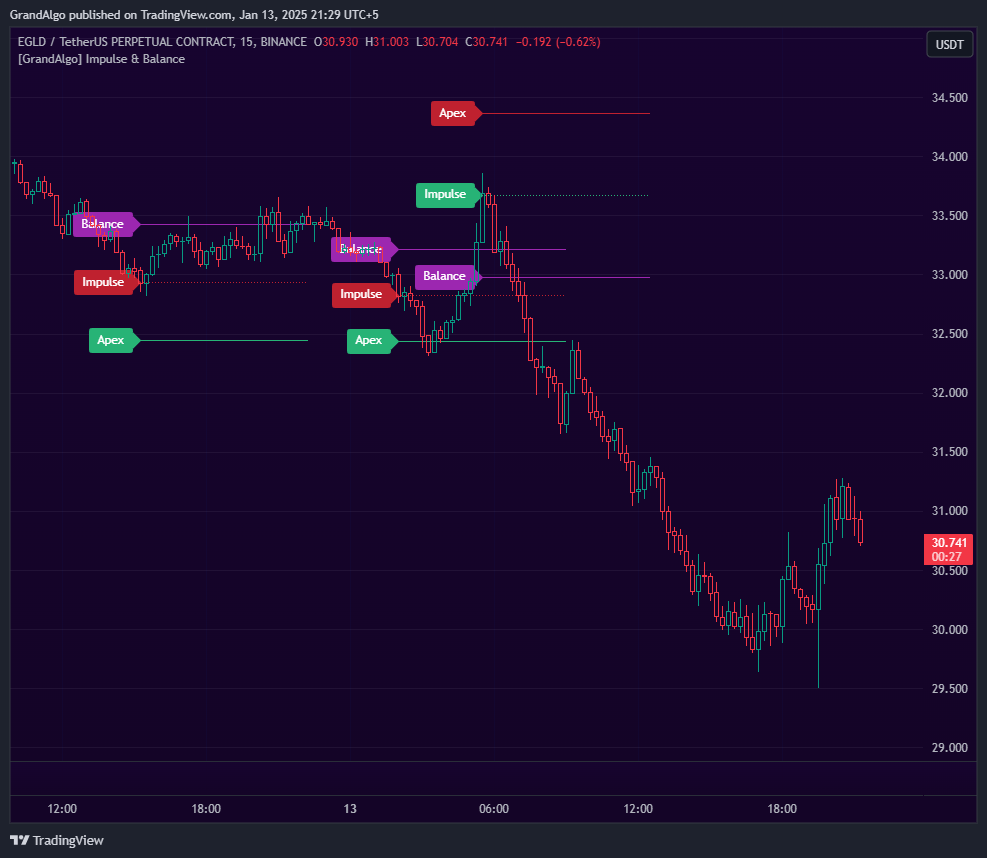
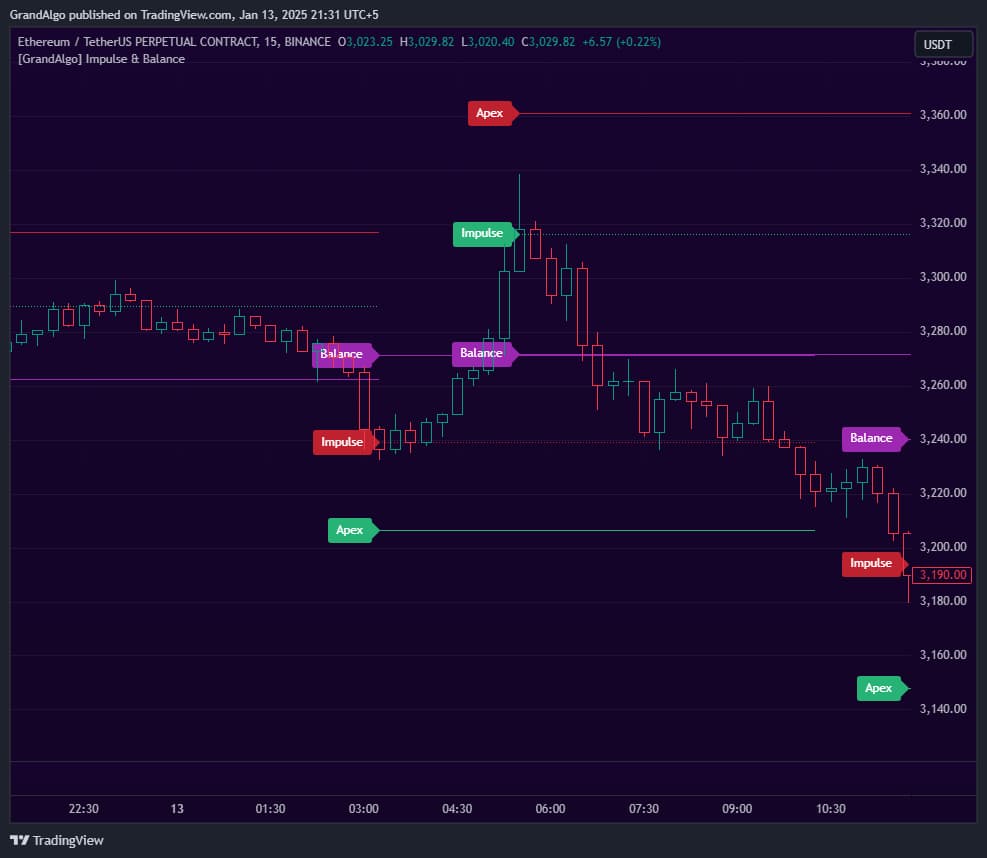
Impulse & Balance applied across different markets.
Settings & Parameters
Key settings you can configure in TradingView.
| Parameter | Type | Default | Description |
|---|---|---|---|
| Length | int | 1 | Multiplier for the internal RSI calculation length (x14). Value of 1 = 14-period RSI, 2 = 28-period, etc. Higher values produce smoother, less frequent signals. |
| Show Impulse Levels | bool | true | Displays the Impulse level where the momentum extreme triggered. |
| Show Balance Level | bool | true | Displays the Balance level representing the market equilibrium midpoint between impulse extremes. |
| Show Apex Level | bool | false | Displays the Apex level, an extended target beyond the impulse for ambitious profit targets. |
How to Use It
Understand the Three Levels
Impulse marks where momentum peaked. Balance marks the equilibrium midpoint. Apex is the extended target. Each serves a different trading purpose: reversals at Impulse, mean reversion to Balance, and breakout targets at Apex.
Watch for Level Color Changes
Green levels indicate bullish momentum signals, red levels indicate bearish. When colors switch, the momentum direction has changed, which often signals a trend shift.
Use Balance as a Mean Reversion Target
After a momentum extreme pushes price to the Impulse level, price frequently reverts toward Balance. This makes Balance an ideal take-profit target for mean reversion trades.
Enable Apex for Extended Targets
If you're a trend follower, enable the Apex level. It projects beyond the impulse and acts as an ambitious target for trend continuation trades.
Best Practices
Start with Length 1
The default Length of 1 (14-period) captures most momentum swings. Only increase it if signals are too frequent for your trading style.
Use Impulse for Entries, Balance for Exits
A common workflow: enter when price touches an Impulse level in your favored direction, target the Balance level for profit.
Set Alerts on All Three Levels
The six alert types (bullish/bearish for each level) ensure you never miss a momentum extreme, even when away from the chart.
Related Indicators
Related Articles
Ready to Start Trading?
Get access to Impulse & Balance alongside all 18 premium indicators.