Liquidity Toolkit

Liquidity Heatmap

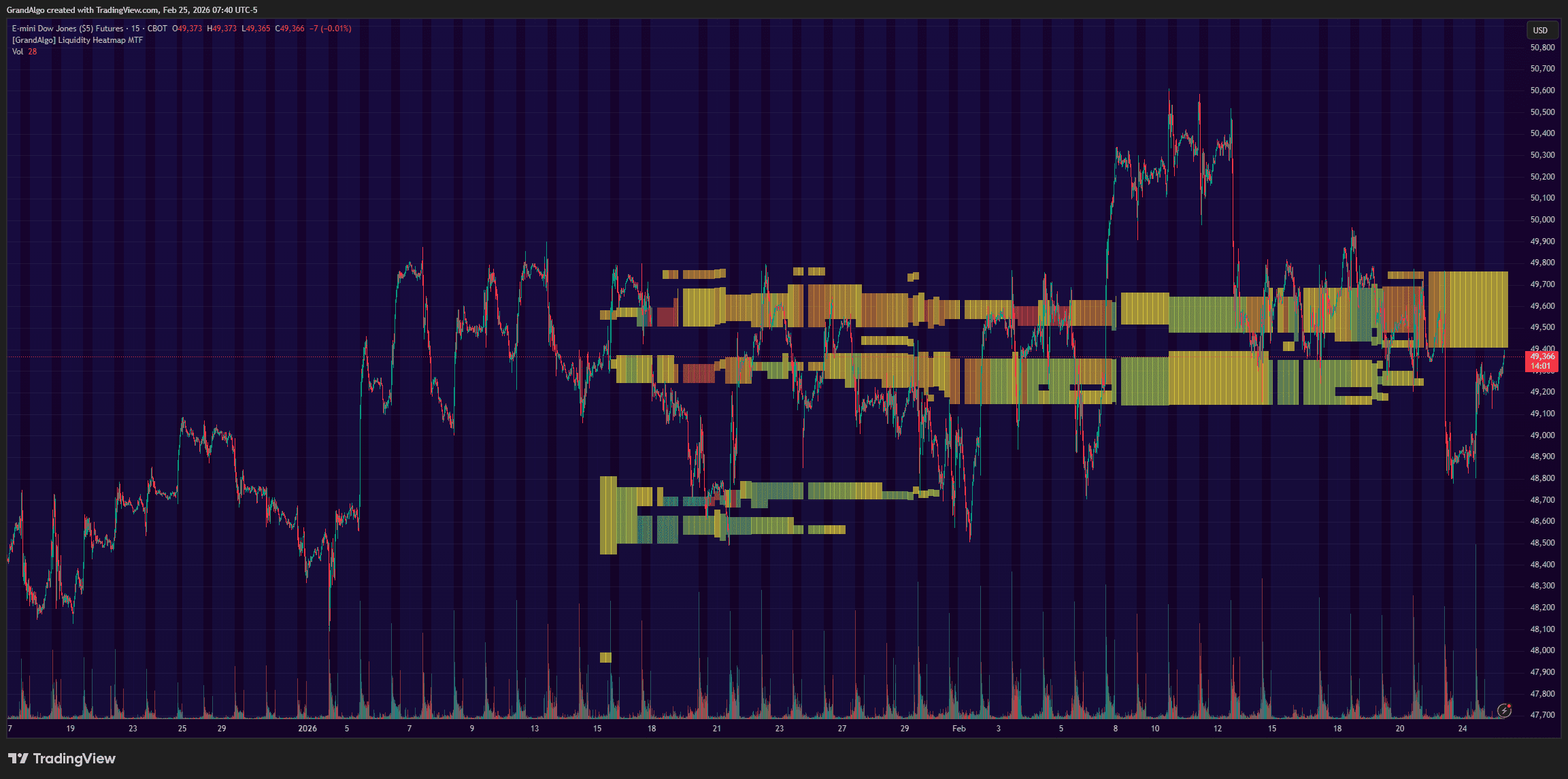
Creates a visual heatmap showing where the highest liquidity concentrations exist across price levels, with multi-timeframe analysis.

Block Sizes

3 options

Markets

All

Style

Overlay

Alerts

Built-in

Liquidity Heatmap TradingView indicator
1 / 3

Overview

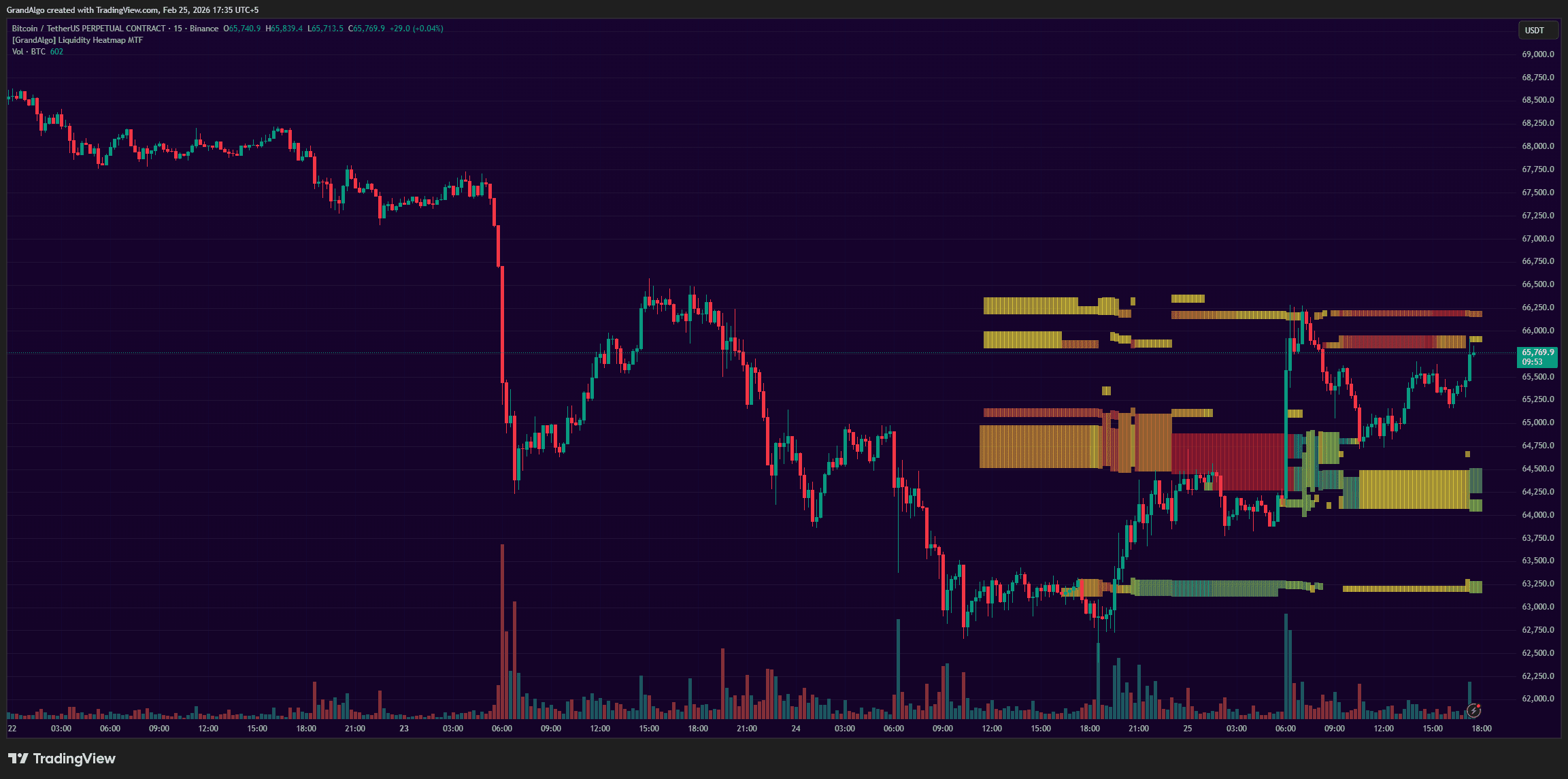
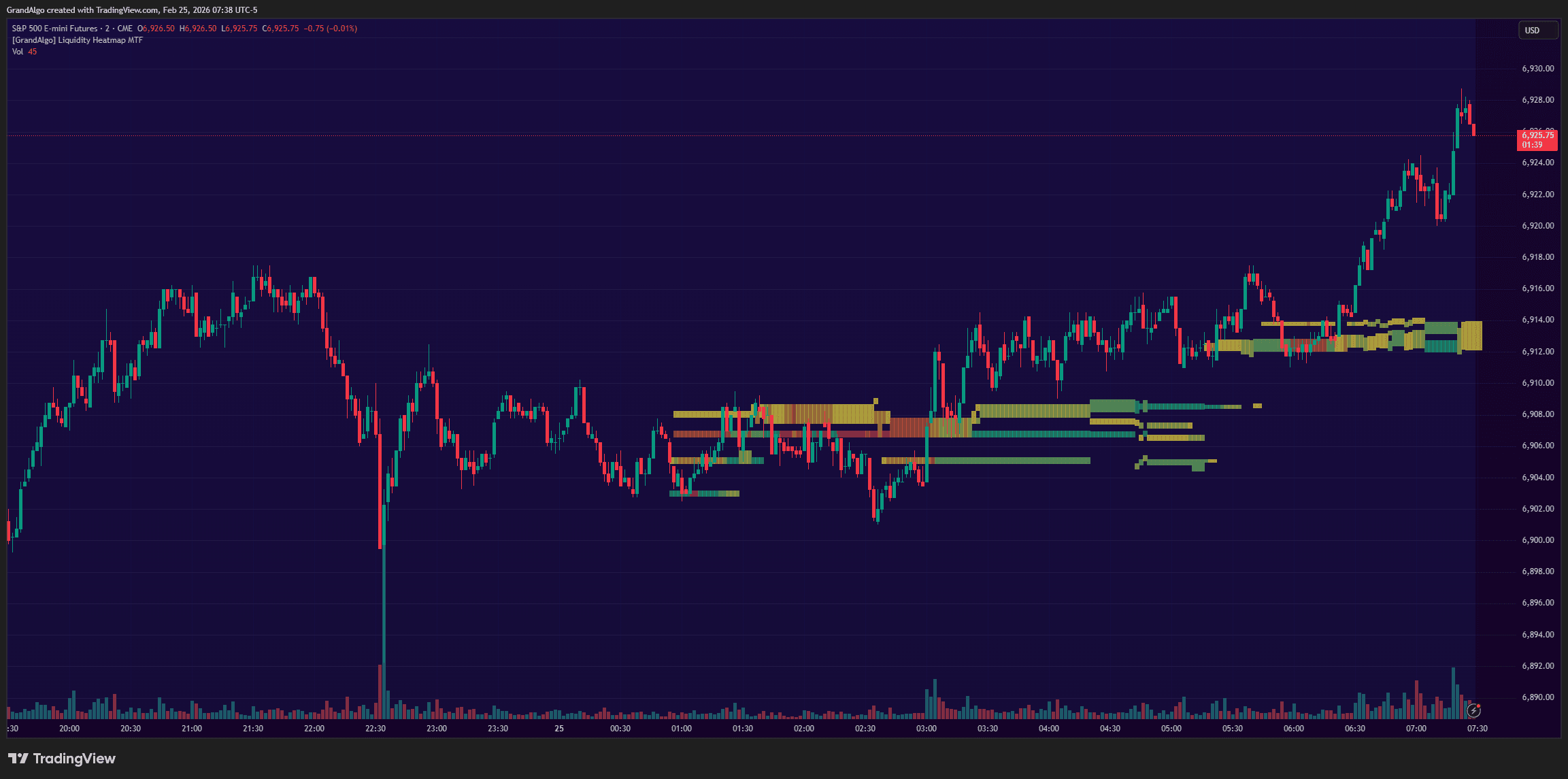
Liquidity Heatmap MTF analyzes trading activity across a grid of price levels over a customizable lookback period, measuring how much volume or candle interaction has occurred at each level. A percentile filter displays only the most significant liquidity clusters, color-coded by position relative to the current price: green for support zones below, red for resistance above, with intensity reflecting concentration magnitude. The multi-timeframe capability computes the analysis on a higher timeframe and projects it onto your current chart, revealing where significant liquidity pools exist across different time horizons.

How It Works

Liquidity Heatmap divides the visible price range into a grid of equal-sized blocks and measures how much trading activity has occurred within each block over a configurable lookback period. In volume-based mode, it calculates the proportional volume contribution of every candle that passes through each price level, weighting wider-range candles less per level and concentrated candles more. In candle-count mode, it simply tallies how many candles interacted with each level regardless of volume. The result is a granular map of where the market has spent the most energy.

Once all levels are scored, a percentile filter removes the noise. Only blocks that rank above your chosen liquidity filter threshold are displayed, so the chart shows exclusively the highest-concentration zones. Blocks below the current price are shaded green (support), while blocks above are shaded red (resistance), with color intensity increasing as concentration rises. Adjacent qualifying blocks are automatically merged into larger contiguous zones for a cleaner visual.

The multi-timeframe engine runs the entire analysis on a user-selected higher timeframe and projects the results onto your current chart. This reveals where significant liquidity pools exist on timeframes you may not be watching, giving you a cross-timeframe edge in identifying where price is likely to stall, reverse, or accelerate.

Key Features

01

Liquidity Concentration Mapping

Analyzes trading activity across price levels and identifies where the highest concentrations of volume and candle interaction exist.

02

Smart Filtering

Filters out low-significance levels and displays only the most meaningful liquidity clusters, keeping the chart clean and actionable.

03

Multi-Timeframe Projection

Runs the entire liquidity analysis on a configurable higher timeframe and projects the results onto your current chart for cross-timeframe insight.

04

Intensity Color Gradient

Color-coded from green (support below price) to red (resistance above), with multiple intensity tiers for the strongest concentration zones.

Common Trading Setups

Practical ways to trade with Liquidity Heatmap.

01

Liquidity Magnet Reversal

Price tends to gravitate toward the densest liquidity zones. When price is moving toward a high-intensity heatmap cluster, expect a reaction at the zone boundary.

  1. 1Identify a high-intensity heatmap zone ahead of the current price direction.
  2. 2Wait for price to reach the zone boundary and observe the first candle's reaction.
  3. 3Enter on the first rejection candle (wick into the zone with a close back outside).
  4. 4Place your stop-loss beyond the far edge of the heatmap cluster.
  5. 5Target the next visible heatmap zone in the opposite direction.
02

Liquidity Void Breakout

Gaps between heatmap zones represent areas with minimal historical trading activity. Price tends to move quickly through these voids, creating breakout opportunities.

  1. 1Look for a clear gap between two heatmap clusters with no significant liquidity in between.
  2. 2Wait for price to break out of the current cluster and enter the void.
  3. 3Enter in the breakout direction once the candle closes beyond the cluster edge.
  4. 4Use the exited cluster's edge as your stop-loss reference.
  5. 5Target the opposite heatmap cluster where price is likely to find resistance or support.
03

HTF Liquidity Confluence

When the higher-timeframe heatmap zone aligns with a zone on your trading timeframe, the confluence creates an especially high-probability reaction level.

  1. 1Set the MTF input to a timeframe 3-5x higher than your chart (e.g., 4H heatmap on a 15m chart).
  2. 2Identify where the HTF heatmap zone overlaps with your current timeframe's price structure.
  3. 3Wait for price to approach the confluent zone and watch for a momentum shift.
  4. 4Enter on confirmation of a reversal pattern at the zone (engulfing candle, pin bar, etc.).
  5. 5Target the midpoint between the current zone and the next major heatmap cluster.

Settings Reference

Key settings you can configure in TradingView. See the full setup guide for detailed walkthroughs.

ParameterTypeDefaultDescription
Liquidity Filterint85Percentile threshold for displaying zones. At 85, only the top 15% of liquidity concentrations are shown. Lower values show more zones.
Block SizestringLargeControls the grid resolution: Large for broader zones, Medium for moderate detail, Small for fine-grained price levels.
Volume-Based CloudbooltrueWhen enabled, evaluates liquidity based on volume concentration. When disabled, uses candle count within each zone.
Lookback Periodint300Number of past candles to analyze. Larger values capture more history but may include less relevant older data.
Higher Timeframetimeframe60Runs the liquidity analysis on this timeframe and projects results onto your chart.

Pro Tips

Keep the Filter High

The default 85 percentile filter ensures only the most significant zones appear. Lowering it too much creates visual noise that defeats the purpose of the heatmap.

Use Volume-Based Mode in Liquid Markets

For high-volume markets like BTC, ES, or major forex pairs, volume-based analysis gives the most accurate liquidity picture. Switch to candle-based for lower-volume instruments.

Adjust Block Size to Your Chart

Large blocks work well on higher timeframes for a broad liquidity overview. Switch to Small on lower timeframes for more precise zone identification.

Frequently Asked Questions

Get access to Liquidity Heatmap

Included with every subscription plan alongside all 18 premium indicators. Subscribe today for just $19/mo.

Get StartedStarting at $19/mo