MTF Confluence Key Levels
Scans three timeframes to find where support and resistance levels converge, displaying only the highest-probability levels with strength scores.
Timeframes
3 MTF inputs
Markets
All
Style
Overlay
Alerts
Built-in


Overview
MTF Confluence Key Levels collects highs and lows from three configurable timeframes and identifies price levels where multiple timeframes converge at the same price. Each level is assigned a strength score based on how many times it has been confirmed, with optional weighting that gives higher-timeframe levels more significance. Only levels that meet your minimum strength threshold and fall within a configurable distance of the current price are displayed -keeping your chart clean and focused on the levels that statistically matter most.
How It Works
MTF Confluence Key Levels collects the highs and lows from three user-selected timeframes (default: 4-Hour, Daily, Weekly) and stores them in separate arrays as they form over time. When the indicator runs its analysis, it counts how many times each unique price level appears across all three timeframe arrays. Levels that appear at the same price on multiple timeframes receive a higher confluence score. An optional higher-timeframe weighting system gives extra counts to Daily and Weekly levels, so a Weekly level that also appears on the 4-Hour chart scores significantly higher than a level confirmed only on lower timeframes.
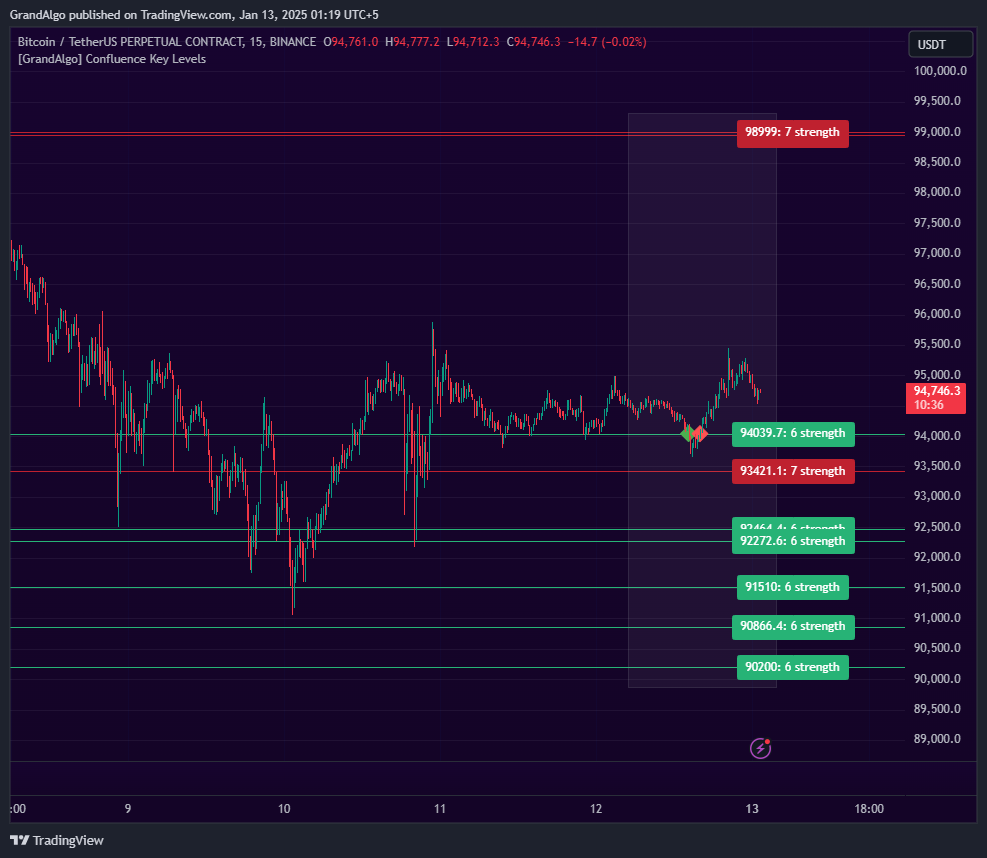
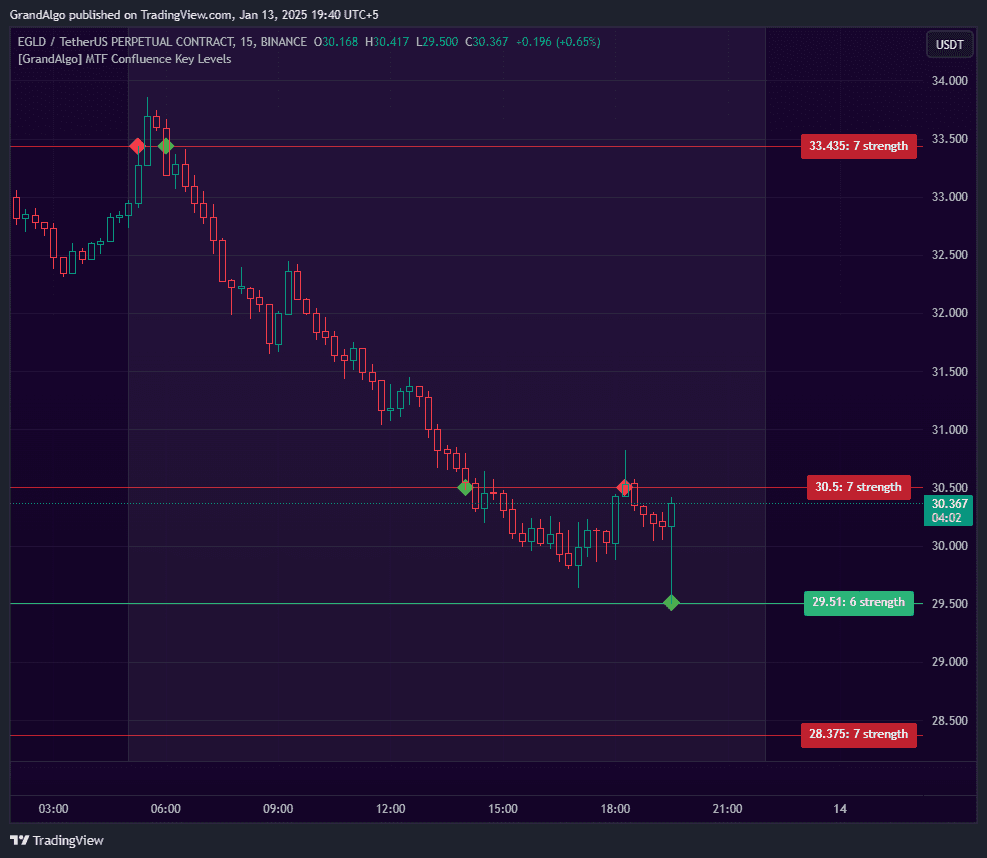
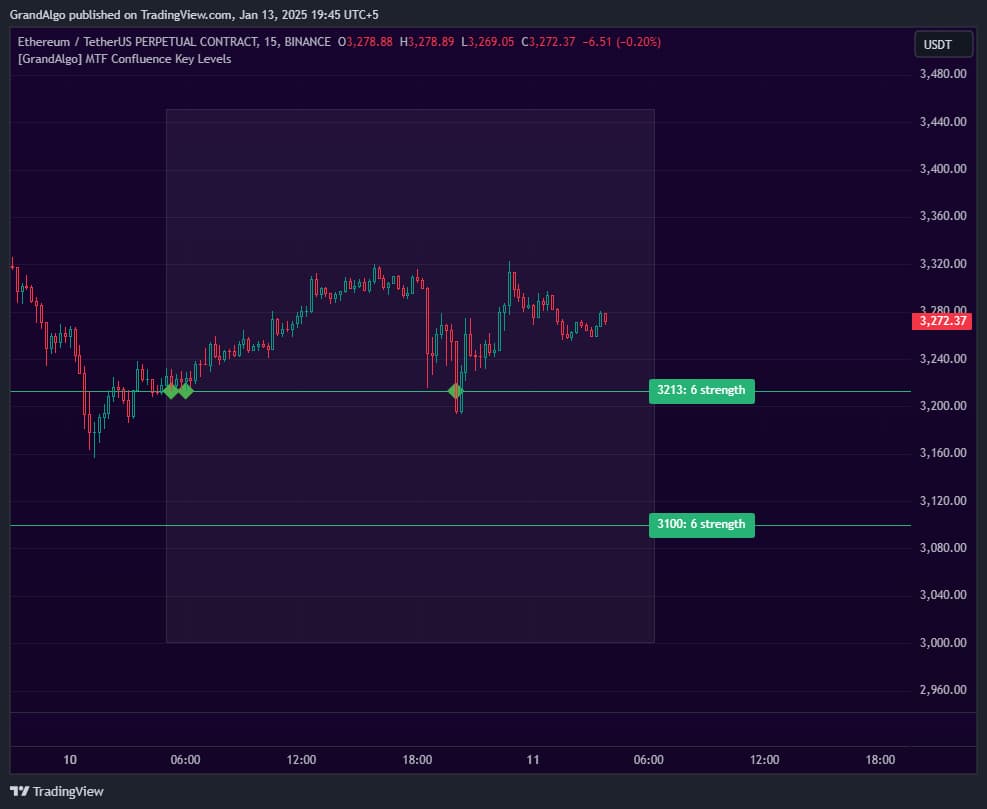
Only levels that meet your minimum strength threshold (default: 3 confirmations) and fall within a configurable percentage distance from the current price are drawn on the chart. This dual filter ensures that you see only nearby, high-probability levels rather than every historical support and resistance line. Each qualifying level is color-coded -- green for support below the current price and red for resistance above -- with a strength label showing the exact confirmation count.
The indicator recalculates on each new daily bar, refreshing the displayed levels to reflect the latest multi-timeframe data. Touch detection monitors price interaction with each level in real time and places visual markers when price tests a confluence zone, with built-in alert conditions so you can be notified without watching the chart.
Key Features
Three-Timeframe Scanning
Analyzes highs and lows from three configurable timeframes simultaneously and identifies where they converge at the same price.
Weighted Strength Scoring
Optional higher-timeframe weighting gives more significance to levels confirmed on larger timeframes for smarter confluence ranking.
Proximity Filtering
Hides levels beyond a configurable distance from the current price, keeping your chart focused on nearby actionable zones.
Touch Detection & Alerts
Visual markers appear when price tests a confluence level, with built-in alerts so you never miss a key level interaction.
Common Trading Setups
Practical ways to trade with MTF Confluence Key Levels.
High-Strength Confluence Bounce
Enter a trade when price pulls back to a confluence level with a high strength score, expecting a reaction at a level confirmed across multiple timeframes.
- 1Scan the chart for confluence levels with the highest strength scores (5 or above indicates strong multi-timeframe agreement).
- 2Wait for price to approach a high-strength support level (green) from above or a resistance level (red) from below.
- 3Watch for a touch detection marker to confirm that price has interacted with the level.
- 4Enter on a confirmation candle -- a bullish reversal at support or a bearish reversal at resistance.
- 5Place your stop-loss beyond the confluence level and target the next confluence level in the opposite direction.
Confluence Level Breakout
Trade breakouts through confluence resistance or support levels, using the multi-timeframe confirmation as evidence that the broken level was significant.
- 1Identify a confluence level that price has tested multiple times (touch markers visible).
- 2Wait for a decisive candle close beyond the level -- a strong momentum candle with a body closing fully past the level.
- 3Enter in the breakout direction after the close is confirmed.
- 4Use the broken confluence level as your invalidation point (stop-loss just on the other side).
- 5Target the next confluence level ahead, or use a risk-reward ratio of at least 1:2.
Confluence Zone Sandwich
When price is trapped between a support and resistance confluence level in close proximity, trade the breakout from the compression zone.
- 1Identify a situation where a green (support) and red (resistance) confluence level are close together, creating a narrow price range.
- 2Wait for price to consolidate between the two levels, building energy for a directional move.
- 3Enter on the first decisive candle close outside the sandwich zone.
- 4Place your stop-loss at the opposite confluence level.
Settings Reference
Key settings you can configure in TradingView. See the full setup guide for detailed walkthroughs.
| Parameter | Type | Default | Description |
|---|---|---|---|
| Timeframe 1 | timeframe | 240 | First timeframe to scan for highs and lows. Default is the 4-hour chart. |
| Timeframe 2 | timeframe | D | Second timeframe for level detection. Default is Daily. |
| Timeframe 3 | timeframe | W | Third timeframe for level detection. Default is Weekly. |
| Hide Lines % Away | float | 5 | Hides levels that are more than this percentage away from the current price, keeping the chart focused on nearby zones. |
| Higher TF Weighting | bool | true | Gives more significance to levels confirmed on higher timeframes for smarter confluence ranking. |
| Min. Strength | int | 3 | Minimum strength score required for a level to be displayed. Higher values show fewer but stronger levels. |
| Precision Points | int | 2 | Controls how precisely levels must align to be considered confluent. |
Pro Tips
Enable Higher Timeframe Weighting
Keeping this enabled ensures Weekly and Daily levels rank higher than intraday levels, which aligns with how institutional traders prioritize levels.
Set Proximity Filtering Appropriately
The percentage-based distance filter should match your trading style. Scalpers may use 1-2%, swing traders 5-10%. This prevents distant levels from cluttering the chart.
Don't Overcrowd the Chart
More levels doesn't mean better analysis. Focus on the strongest 3-5 levels near the current price for cleaner decision-making.
Frequently Asked Questions
The default combination of 4-Hour, Daily, and Weekly works well for most swing and position trading styles. For intraday trading, try 15-Minute, 1-Hour, and 4-Hour. The key is to use timeframes that are meaningfully different from each other -- if the timeframes are too similar, you will get redundant data rather than true multi-timeframe confluence.
When enabled, the indicator gives extra weight to levels from higher timeframes. Specifically, Daily highs and lows count double, and Weekly highs and lows count triple. This means a level that appears on the Weekly chart carries significantly more weight than one confirmed only on the 4-Hour chart, which reflects the institutional reality that higher-timeframe levels tend to be more significant.
The indicator recalculates on each new daily bar and applies a proximity filter that only shows levels within a configurable percentage of the current price. As price moves, levels that were previously within range may fall outside the filter distance and disappear, while new levels come into range. This is by design -- it keeps your chart focused on the levels most relevant to current price action.
The strength score represents the total number of confirmations across all three timeframes (with optional weighting applied). A score of 3 means the level appeared at least once on all three timeframes. Scores of 5 or higher indicate exceptional confluence where the level was confirmed multiple times. Higher scores generally correspond to stronger price reactions when tested.
Get access to MTF Confluence Key Levels
Included with every subscription plan alongside all 18 premium indicators. Subscribe today for just $19/mo.